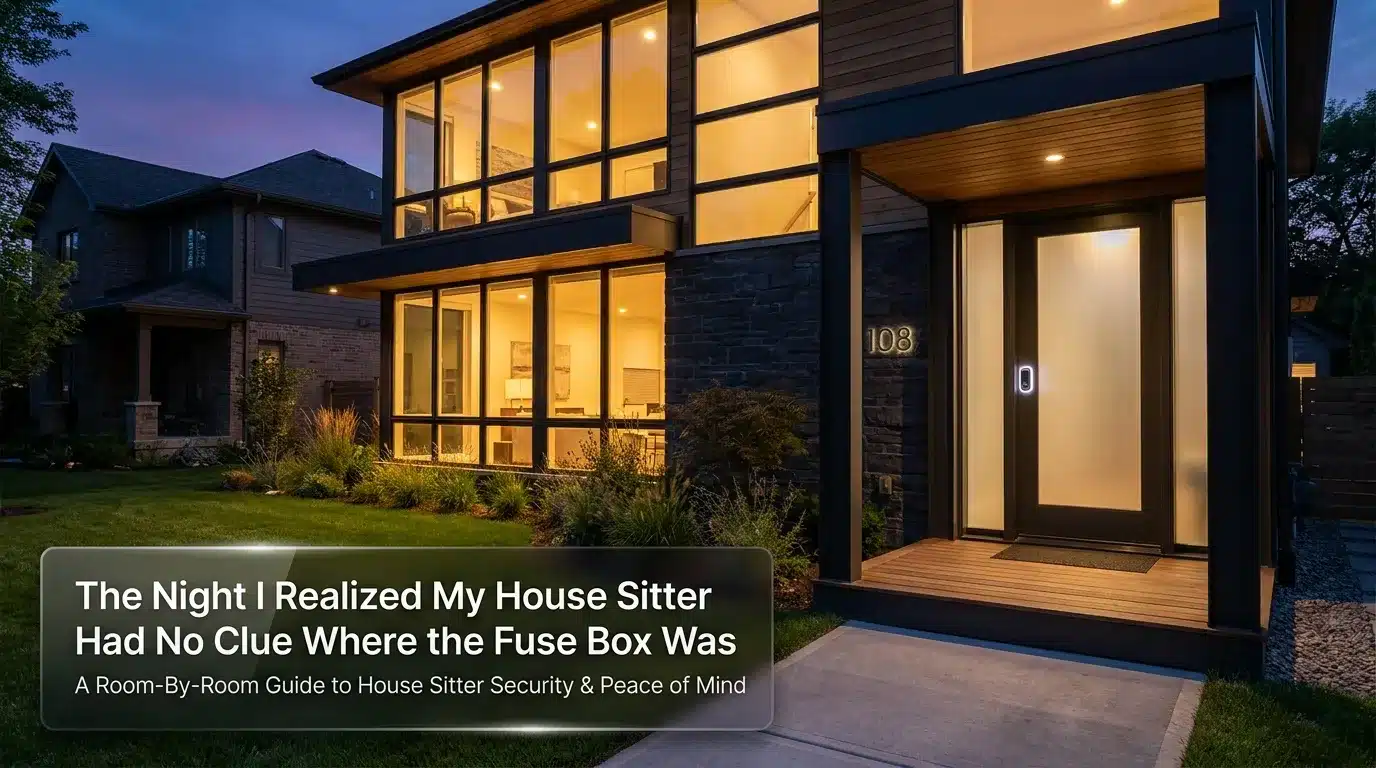
The Night I Realized My House Sitter Had No Clue Where the Fuse Box Was
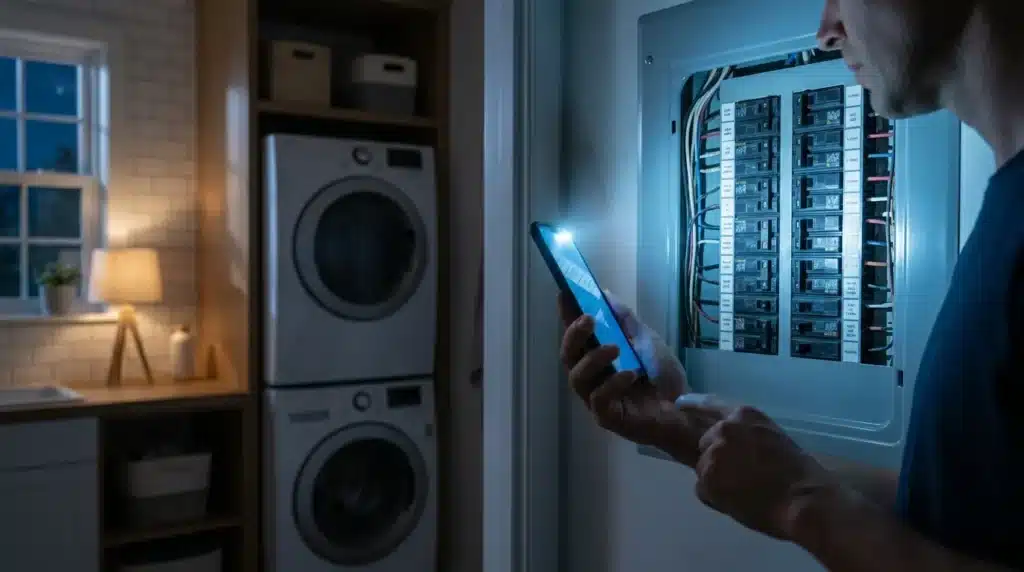
I still remember the phone call. It was 11 p.m., I was three time zones away at a wedding, and my phone lit up with my house sitter’s name. My heart dropped before I even answered. The power had gone out in half the house, my dog was pacing and whining, and she had no idea if it was a blown fuse, a storm issue, or something worse. I stood in a hotel hallway trying to talk her through finding a breaker box she had never seen before, in a house that wasn’t hers, in the dark.
Nothing bad actually happened that night. But I felt sick to my stomach for the rest of the trip. I had handed someone my keys, my pet, and basically my whole life, and I hadn’t given her the one page of information that would have made that whole mess a five-minute fix. That’s the moment I stopped treating “house sitter prep” as an afterthought and started treating it like something I actually plan for, every single time.
If you’ve ever left home and spent your vacation half-checking your phone for a text from your sitter, you already know this feeling. It’s not really about the house. It’s about the fact that you can’t be there to catch a small problem before it turns into a big one.
Here’s what that stress usually looks like in real life:
- You’re at dinner, and your mind keeps drifting to whether the back door actually got locked.
- You get a text that just says “call me when you can” and your stomach drops before you even read the rest.
- You come home to find the alarm code taped to the fridge, in plain view of anyone who walks by a window.
- Your sitter didn’t know your dog can’t have grapes, and now you’re googling symptoms from an airport gate.
- You realize, too late, that you never actually told them what to do if someone knocks on the door.
None of this makes you paranoid. It makes you a homeowner who cares about the people, pets, and property you’re responsible for, even from a distance. The good news is that almost every one of these situations is preventable with a little planning before you hand over the keys, not after something goes wrong.
Building a Room-By-Room House Sitter Security Plan
You don’t need a security degree to prep your home well. You just need a plan that covers the entry points, the information gaps, and the “what if” moments before they happen.
I like to break this into a few simple stages: the walkthrough, the entry points, the information handoff, and the “keeping up appearances” stage for while you’re actually gone.
Start With a Walkthrough, Not a Text Message
Don’t just text your sitter a list of instructions and call it done. Walk the house with them, in person if you can, or on a video call if you can’t.
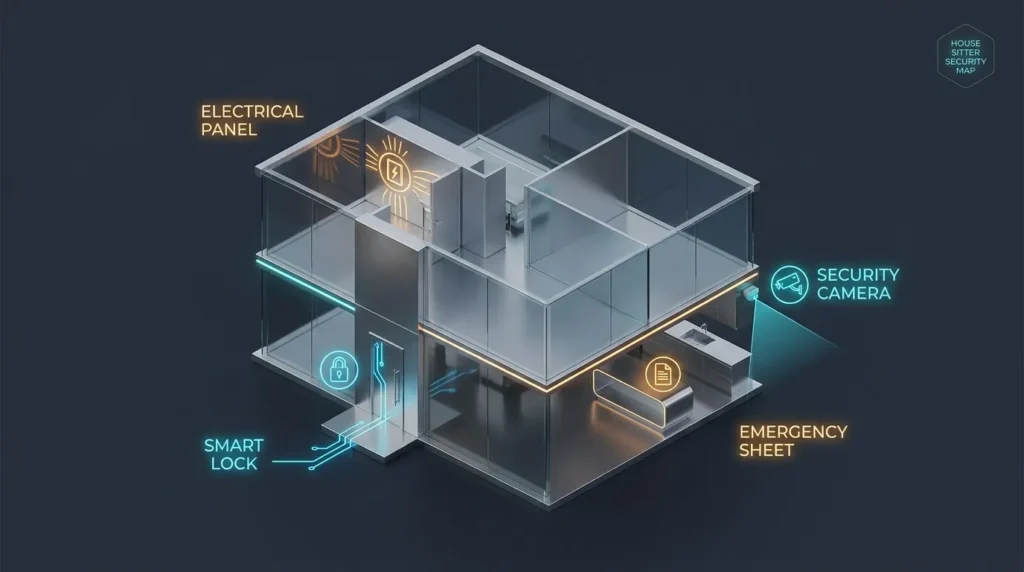
Show them every door and window that locks. Point out the ones that stick or need a little extra push. Show them the breaker box, the water shut-off valve, and the thermostat controls. This is the boring stuff nobody thinks about until it’s an emergency at midnight.
Pro Tip: I used to just leave a typed instruction sheet on the counter and assume that was enough. It wasn’t. My sitter told me later she skimmed it once and then forgot half of it by day two. Now I do a short walkthrough video on my phone as we walk the house together, and I send it to her so she can replay it anytime. It takes ten extra minutes and it has saved both of us so much back-and-forth texting.
Locks, Lights, and the Entry Points That Actually Matter
Most break-ins don’t happen through some dramatic window smash. They happen through a door that was left unlocked or a garage side door nobody thought about. Before your sitter arrives, walk your own perimeter like you’re a stranger casing the place.
Check that every exterior door, including the one connecting your garage to the house, locks properly and closes all the way. If your front door hardware feels loose or the strike plate looks flimsy, it’s worth taking the time to reinforce your front door before your sitter moves in, not after.
Windows deserve the same attention. Ground-floor windows are the easiest target, and a lot of people forget to check the locks on the ones behind bushes or furniture. A quick pass to secure your windows from the inside can close a gap you didn’t even know was there.
If your home has a smart lock, show your sitter exactly how it works, including what happens if the batteries die or the app glitches. A confused sitter standing outside a locked door at 10 p.m. is a problem you can avoid with two minutes of practice before you leave. Comparing options is worth it too. Our breakdown of smart locks vs. deadbolts explains which setup actually holds up better for a temporary sitter situation.
Watching this quick walkthrough of common entry-point mistakes can make it a lot easier to spot the weak spots in your own home before you do your own check:
What to Hand Over — and What to Never Hand Over
This part trips people up more than anything else. You want your sitter to feel prepared, but you don’t want to overshare information that could put your home at risk if it ends up in the wrong hands.
| Share With Your Sitter | Keep Private or Handle Differently |
|---|---|
| Wi-Fi password (written, not texted publicly) | Full alarm system master code — use a temporary guest code instead |
| Vet contact info and pet feeding notes | Bank statements, mail with account numbers, checkbooks |
| Trusted neighbor’s phone number | Spare keys to a safe, gun cabinet, or filing cabinet |
| Basic appliance instructions | Passwords to your personal devices or email |
| Emergency contact list | Location of expensive jewelry or heirlooms |
Most home security systems let you create a temporary guest code instead of sharing your permanent one. This is one of the easiest upgrades you can make, and it means you’re not stuck changing your entire code after every sit. If you keep valuables at home, it’s also worth rethinking where you actually store a safe so it isn’t sitting in an obvious spot your sitter — or anyone who visits — can casually notice.
An Emergency Info Sheet That Covers More Than “Call 911”
A good emergency sheet answers the questions your sitter won’t think to ask until they’re already stressed. Keep it short, keep it visible, and go over it together instead of just leaving it in a drawer.
At minimum, include:
- Your cell number and a backup contact who lives nearby
- Address and phone number for the closest urgent care or emergency room
- Your vet’s number and the nearest 24-hour animal hospital
- Utility company numbers for a gas smell, water leak, or power outage
- Wi-Fi router restart instructions (seriously, this saves so many panicked calls)
If you have pets, it’s also smart to note anything toxic they shouldn’t get into. The ASPCA’s toxic and non-toxic plant list is a genuinely useful reference to check your own home against, especially if you keep houseplants your sitter might not think twice about. If your pet ever does get into something they shouldn’t, the ASPCA Animal Poison Control Center is available around the clock, and it’s worth writing that number directly on your emergency sheet before you leave, not looking it up in a panic later.
Smart Devices Are Your Extra Set of Eyes — If You Set Them Up Right
A camera by the front door or a pet cam in the living room gives you real peace of mind while you’re away, and it gives your sitter an easy way to show you the dog is fine without a dozen text messages. Our guide to securing smart home cameras walks through picking a setup that actually protects your privacy instead of creating a new weak spot.
Here’s the part people skip: secure the Wi-Fi network those devices run on. A camera is only as safe as the network it’s connected to. The Federal Trade Commission’s consumer guidance on securing internet-connected devices at home is a solid, plain-language resource if you want to double check your router settings before your sitter logs in. Pairing that with our own notes on securing your home Wi-Fi and smart cameras covers both sides of the setup.
Myth vs. Reality: “A House Sitter Means I Don’t Need to Worry”
Myth: Once someone is physically staying in your home, your home security work is basically done.
Reality: A sitter reduces some risks (an obviously empty house) but introduces new ones (an unfamiliar person who doesn’t know your home’s quirks, your neighborhood, or your alarm habits). The safest setups combine a present sitter with the same security habits you’d use if the house were empty — locked doors, working lights, and a system your sitter actually understands.
Keeping Up Appearances Even With Someone Home
It sounds strange, but even with a sitter in the house, you still want it to look lived-in and normal from the outside. Ask your sitter to keep your usual routine as much as possible — same lights on at night, same general schedule, mail brought in daily instead of piling up.
If you like an extra layer of reassurance, our piece on using fake presence to deter burglars while you’re away has simple ideas your sitter can keep going even though they’re right there. And if nighttime is when you feel the most anxious about your home, running through our nighttime home security checklist together before bed on their first night can turn a stressful new routine into a five-minute habit.
According to Consumer Reports’ overview of home safety trends, property damage and theft together make up the vast majority of homeowners insurance claims, which is exactly why small daily habits — locking up, checking cameras, keeping a normal routine — matter so much more than any single expensive gadget. A sitter who understands why these habits matter is far more consistent than one who’s just following a list.
Your Quick Pre-Departure Checklist
Print this out or save it to your phone. Go through it together with your sitter the day before you leave.
- [ ] Walked the house together and tested every exterior lock
- [ ] Shared Wi-Fi password and set up a temporary alarm guest code
- [ ] Left written instructions for breaker box, water shut-off, and thermostat
- [ ] Posted an emergency contact and nearby urgent care/vet sheet
- [ ] Reviewed toxic plants and foods with your sitter if you have pets
- [ ] Tested smart cameras and doorbell app access together
- [ ] Confirmed mail, package, and lawn routine so the home looks normal
- [ ] Removed or locked away sensitive documents, spare keys, and valuables
- [ ] Saved a neighbor’s number in your sitter’s phone
- [ ] Did one final walk-through of every door and window before you left
A checklist like this doesn’t take away every ounce of worry when you leave home. Nothing really does. But it turns a vague, anxious feeling into a short list of things you can actually control, and that’s usually enough to let you actually enjoy your trip instead of checking your phone every twenty minutes.
Little Habits That Keep Your Home Safe Long After the Sit Is Over
A good house sitter setup isn’t a one-time task. It’s something you build once and then reuse, tweak, and improve every single time you travel.
Once you’ve done the walkthrough, shared the right information, and made it through your first trip, the real win is turning that experience into a system. This is where most people either get lazy or get smart, and I’ve been on both sides of that line.
Rotate your codes every time. Whatever temporary alarm or lock code you gave your last sitter should be deleted the moment they’re done. It sounds obvious, but a surprising number of people forget this step and end up with three or four old codes still sitting active in their system months later. Each one is a small crack in your home’s security that costs nothing to close.
Keep a living house manual instead of a one-time note. I keep a simple digital document with everything a sitter needs — Wi-Fi info, appliance quirks, emergency numbers, pet notes — and I update it after every trip. If something confused my last sitter, I add a line to clear it up for the next one. Over time, this turns into a manual that basically runs itself.
Do a five-minute debrief when you get home. Ask your sitter what felt confusing, what they wished they knew earlier, or if anything unusual happened while you were gone. This single habit has taught me more about my own home’s weak points than any security review I’ve paid for.
Here’s a real scenario that stuck with me. A friend of mine let her regular sitter keep the same garage code for almost two years, across multiple sits, without ever changing it. When that sitter mentioned in passing that she’d shared the code with her partner “just in case,” my friend realized she had no idea how many people actually had access to her home at that point. Nothing bad happened, but it was a wake-up call about how these small habits quietly slip if you don’t stay on top of them.
Build trust gradually with new sitters. If you’re using someone for the first time, start with a shorter trip before handing over a two-week vacation. This gives you a low-stakes way to see how they handle your home, your pets, and your instructions before you’re relying on them for something bigger.
If you use a smart camera system, get in the habit of glancing at the activity log once a day instead of obsessively refreshing it. A quick daily check is usually enough to catch anything unusual, and it keeps your trip from turning into a second job of watching your own house.
Seasonal check-ups matter too. The setup that worked perfectly in the summer might not cover you in winter, when early sunsets mean your lights need to run longer, or pipes need extra attention during a cold snap. Taking ten minutes before each trip to ask “does this still fit the season?” catches problems most people only notice after they’ve already happened.
It also helps to write down who has access to what, and when. A simple running log — sitter’s name, dates, which codes they used — takes almost no effort to keep, but it means you’re never guessing who might still technically have a way into your home. Most people are surprised at how quickly this list grows over a year or two of regular travel.
None of these habits take much time on their own. But stacked together, they turn house sitting from a stressful gamble into a routine you can trust, trip after trip.
The House Sitting Mistakes That Turn a Simple Favor Into a Disaster
Most house sitting problems don’t come from bad sitters. They come from small gaps in planning that nobody notices until something goes wrong.
Posting your travel dates publicly is one of the easiest mistakes to make. A cheerful “heading to the coast for two weeks!” post feels harmless, but it tells anyone watching exactly when your home might be less carefully monitored, even with a sitter there. It’s a good idea to hold off on posting vacation photos until you’re actually back home.
Assuming your sitter already knows the basics is another quiet trap. You’ve lived in your home for years, so locking the side gate or knowing which window doesn’t latch properly feels automatic to you. To a first-time sitter, none of that is obvious. Skipping the walkthrough because “it’s pretty self-explanatory” is one of the most common regrets homeowners mention after something goes wrong.
Leaving a spare key in an obvious hiding spot is a classic mistake that never really goes away. Under the mat, inside a fake rock, above the door frame — these hiding spots are well known, and giving your sitter a proper key or a smart lock code is always safer than counting on a hidden spare nobody else knows about. Except, of course, the people who’ve watched enough of these “hidden key” spots to know exactly where to check first.
Not testing your systems before you leave can turn a minor glitch into a real problem. A camera that hasn’t been checked in months, an alarm app that needs a password reset, or Wi-Fi that drops the moment two devices connect — these are the kinds of things you want to discover a week before your trip, not the night you’re getting on a plane.
Letting mail and packages pile up sends a signal you don’t want to send. Even with a sitter inside, an overflowing mailbox or a stack of boxes on the porch can make a home look unattended from the street. Ask your sitter to bring things in daily, and if packages are expected, have them collected the same day whenever possible.
Skipping a backup contact is a mistake people only realize once it’s too late. If your sitter can’t reach you in an emergency, who do they call next? Without a second name and number on your emergency sheet, a small issue can turn into a sitter standing in your kitchen unsure of what to do.
Each of these mistakes is small on its own. Together, they’re the difference between a house sit that goes smoothly and one that leaves you anxious for your entire trip.
Quick Answers to What Homeowners Always Ask About House Sitters and Security
How much should I really tell a house sitter about my security system?
Enough for them to use it confidently, but not more than that. A temporary guest code and a walkthrough of how the system works is usually plenty — there’s no need to share master codes or full account access.
Is it safe to let a house sitter post about staying at my home?
It’s best to ask them to hold off until after your trip is over. Even an innocent photo can reveal that your regular routine is different right now, which isn’t information you want floating around publicly.
Should I still lock up valuables if I trust my sitter completely?
Yes, and it’s not really about trust. Locking away sensitive documents, spare keys, or expensive items protects your sitter too, since it removes any question of responsibility if something ever goes missing.
What’s the single most useful thing I can give a house sitter before I leave?
A short, written emergency sheet with your number, a backup contact, and the basics for utilities and pets. It sounds simple, but it solves more problems than almost anything else on this list.
How do I know if my house sitter is doing a good job while I’m away?
Regular but not excessive check-ins, quick photo updates of your pet, and a working smart camera you can glance at are usually enough. You’re looking for consistency, not constant reassurance.
Should first-time sitters get a shorter trial run before a longer trip?
It’s a smart move whenever you can manage it. A short weekend sit gives you a low-risk way to see how someone handles your home before you hand over the keys for a two-week vacation.
Your Action Plan for Tomorrow
You don’t need to fix everything on this list today. Pick one thing — maybe it’s finally setting up a temporary guest code, or writing that emergency info sheet you’ve been putting off — and just do that one thing this week.
A safer house sit isn’t built from one big overhaul. It’s built from a handful of small, boring habits that you repeat every single time someone else is watching your home.
I used to think good house sitting prep meant writing the longest, most detailed instruction sheet possible. Now I know it’s really about the ten-minute walkthrough, the honest conversation about what could go wrong, and trusting the small system you’ve built instead of trying to control every little detail from three states away. Start with your next trip, and you’ll already feel the difference.
Disclaimer: This article is provided for general informational purposes only and does not replace advice from a licensed security professional, veterinarian, or local law enforcement agency. Home security needs vary by location, property, and personal circumstances, so please use your own judgment and consult a qualified professional for guidance specific to your situation.