I once left my phone on a busy cafe table for just two minutes, and the panic I felt was unreal. It wasn’t just about losing an expensive device; it was the realization that my entire bank account and every credit card I own were sitting right there, protected by a simple code. That scary moment made me realize I was carrying my whole financial life in my pocket without a real plan to keep it safe.
Your phone knows your bank balance. It knows your card numbers. It can move your money in two taps.
Most people never stop to think about that. You unlock your phone forty or fifty times a day, and somewhere between checking messages and scrolling social media, you also carry your entire financial identity in your pocket.
That convenience comes with a quiet risk. A lost phone is no longer just a lost phone. It can be a lost wallet, a lost bank account, and a lost line of credit, all at once.
Why So Many People Get This Wrong
Here’s the part that catches people off guard.
- They assume the wallet app is automatically safe because a big tech company built it
- They skip the setup screens that ask about passcodes and biometrics
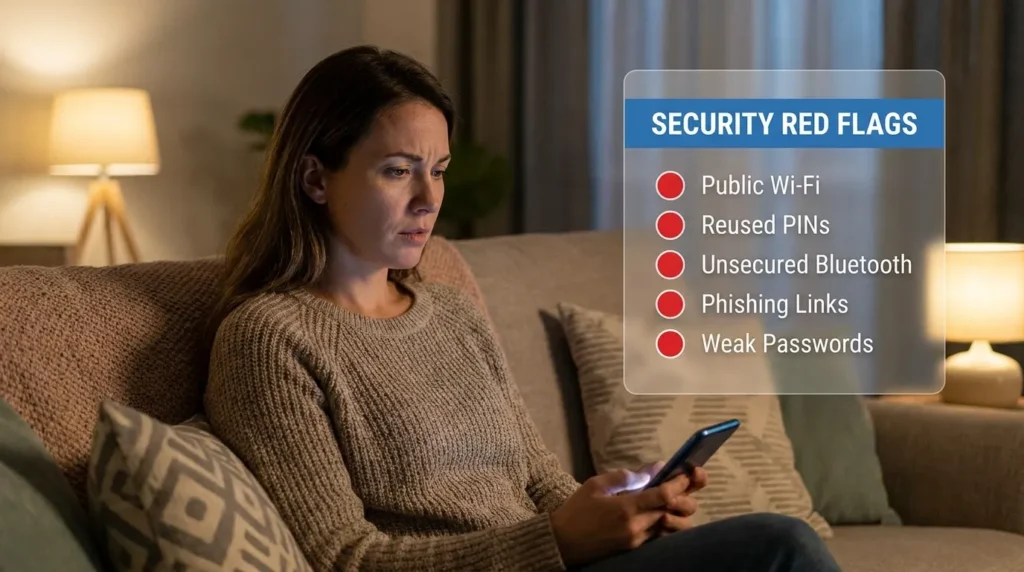
- They reuse the same simple PIN across their phone, banking app, and wallet
- They connect to airport or café Wi-Fi without a second thought before making a payment
- They never check what happens if the phone is stolen while it’s unlocked
None of this happens because people are careless. It happens because nobody ever walked them through it step by step. Setting up something like two-factor authentication feels optional, right up until it isn’t.
The Quiet Anxiety of Not Knowing
There’s a specific kind of stress that comes from not knowing if you’re exposed.
- You hand your phone to a friend and quietly wonder what they could access
- You get a “new sign-in” alert and your stomach drops for a second
- You misplace your phone for ten minutes and feel a wave of panic before you find it
That low-grade worry adds up. Your phone should feel like a tool, not a liability. According to the Federal Trade Commission, mobile payment fraud reports have climbed steadily as more people shift away from physical cards. That’s not meant to scare you. It’s meant to show you that this is a common, solvable problem, not a personal failure.
“Security isn’t about paranoia. It’s about closing the ten small gaps that criminals count on you leaving open.”
I used to use the same four-digit PIN for my phone lock and my payment apps because it was just easier to remember. After hearing about how easily someone can “shoulder surf” a code in public, I realized I was basically giving away the key to my house. Now, I use a completely different, unique code for my wallet app, and it’s a small habit that makes me feel much more in control.
The good news is that fixing this takes less time than ordering your morning coffee. Let’s walk through exactly what to do.
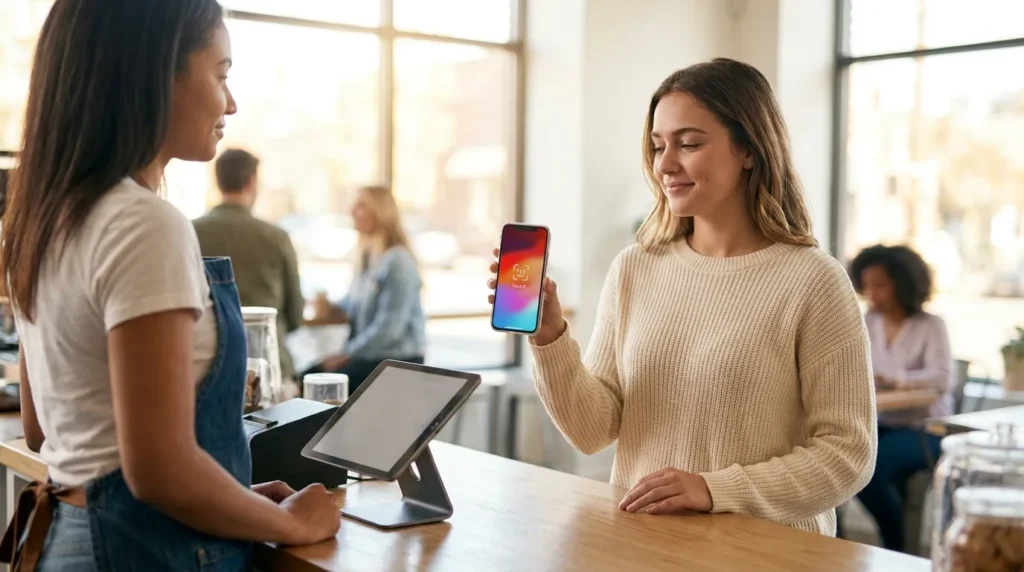
A Practical Protocol for Locking Down Your Mobile Wallet
You don’t need to be technical to do this right. You just need to follow the order below.
Step 1: Replace Your Passcode With a Real Barrier
A four-digit PIN like “1234” or your birth year is not protection. It’s a suggestion.
Switch to a six-digit passcode or an alphanumeric one if your phone allows it. Pair this with Face ID or fingerprint login so the wallet never opens without your physical presence.
This single change blocks the most common way phones get broken into: someone watching you type your PIN in public, then grabbing your phone later. If you haven’t already set up a password manager for every account, this is the moment to start, since it removes the temptation to reuse weak codes everywhere.
Step 2: Turn On Remote Find and Wipe Before You Need It
Here’s the mistake people make. They only think about “Find My Phone” after the phone is already gone.
Go into your settings today and confirm that remote tracking and remote data wipe are both active. This way, if your phone is stolen, you can lock your wallet and erase your payment data from a laptop or a friend’s phone within minutes, not hours.
Banks and credit unions consistently point to this as one of the fastest ways to stop fraud after theft, because the window between the theft and the wipe is where most of the damage happens.
Reading about a remote wipe is one thing, but seeing how quickly you can actually do it is much more reassuring. This clear guide shows you how to erase your data from any device in just a few minutes, which is your ultimate safety net if your phone ever goes missing.
Step 3: Never Load or Access Your Wallet on Public Wi-Fi
Coffee shop Wi-Fi is convenient. It’s also one of the easiest places for someone to intercept your session.
Wait until you’re on trusted Wi-Fi or your cellular data before adding a new card or checking your wallet balance. If you travel often, pair this habit with the steps in preventing identity theft on public Wi-Fi, since the same networks that expose your wallet also expose your email and banking logins.
Digital wallets already use a layer of protection called tokenization, meaning your real card number is never actually transmitted during a purchase. The Cybersecurity and Infrastructure Security Agency recommends treating your device itself as the weak point, since the payment technology is often stronger than the habits around it.
Once these three steps are in place, you’ve already closed off the paths that most thieves rely on. If you haven’t reviewed your online banking safety settings recently, this is a good time to do that as well, since your wallet and your bank account are more connected than most people realize.
The Habits That Separate Casual Users From Truly Protected Ones
Setting up your passcode and remote wipe covers the basics. The next level is about habits you build once and repeat without thinking.
Check Your Linked Accounts Every Few Months
Your mobile wallet doesn’t exist in isolation. It’s usually connected to your email, your social media logins, and sometimes your smart home apps.
Set a recurring reminder every three months to open your wallet app and review which cards and accounts are actually linked. You’ll often find an old card you forgot to remove, or a merchant connection you no longer use.
This is also a good moment to check your social media privacy settings, since criminals often piece together a target’s information from a public profile before attempting a wallet-related scam. A phone number posted publicly, paired with a birthday shared in a comment, gives a scammer more than you’d expect.
Separate Your Wallet PIN From Everything Else
Here’s a mistake almost everyone makes without realizing it.
They use the same PIN for their phone lock, their wallet, and their voicemail. If one gets exposed, all three fall at once.
Your wallet PIN should be unique. Not similar to your phone passcode, not a variation of it, a completely separate code that exists only for payments. Store it in a password manager rather than a sticky note or a notes app, since notes apps are one of the first places attackers check after gaining access to a phone.
“A single reused PIN is like using one key for your house, your car, and your safe. Lose it once, lose everything.”
Watch Your Bank Statement Like a Weekly Habit, Not a Monthly Chore
Most banking apps let you set up instant alerts for every transaction over a certain amount.
Turn this on today. A five-second notification lets you catch a fraudulent charge within minutes instead of discovering it three weeks later during a statement review.
If you ever notice a charge you don’t recognize, report it immediately through your bank and also file a report with the FBI’s Internet Crime Complaint Center, which tracks patterns across mobile payment fraud nationally. This step matters more than people think, since these reports help flag repeat offenders faster.
Keep Your Phone’s Operating System Fully Updated
This one sounds boring. It’s also one of the most effective things you can do.
Security patches close the exact gaps that hackers rely on to break into wallet apps. Set your phone to update automatically overnight, so you’re never running outdated software without realizing it.
Wallet technology itself relies on short-range signals called near-field communication, and keeping your device updated ensures this layer of tech stays protected the way it was designed to work. You can read more about how this NFC technology functions if you want the full technical picture.
Once these habits become routine, they take less than five minutes a week combined. That’s a small price for real peace of mind.
The Slip-Ups That Undo All Your Progress
Even careful people fall into a few predictable traps. Watch for these.
- Ignoring app permissions — Giving a random app access to your contacts or location “just to finish setup” can expose more than you realize
- Skipping software updates for weeks — Delaying an update leaves known security gaps open longer than necessary
- Screenshotting card details — Screenshots often sync to cloud storage, which becomes a new target if that account is ever breached
- Using the same password across banking and wallet apps — One breach anywhere becomes a breach everywhere
- Leaving your phone unlocked in shared spaces — A coworker, roommate, or stranger only needs thirty seconds of an unlocked phone to cause damage
Skipping these small precautions doesn’t just risk your money. It risks your credit history, your personal data, and the time it takes to recover from fraud, which can stretch into weeks of phone calls and paperwork.
Small habits prevent big headaches. Ten seconds of caution now saves ten hours of cleanup later.
If your phone has ever shown strange battery drain or apps you don’t remember installing, it’s worth learning how to detect hidden spyware on your device before you assume your wallet is safe.
Common Questions About Digital Wallet Safety
How do I keep my mobile wallet safe?
Lock your phone with a passcode or biometric login, avoid public Wi-Fi during transactions, turn on remote wipe, and check your linked accounts regularly.
Can a mobile wallet be hacked?
It’s rare because of tokenization, but the bigger risk comes from a stolen or unlocked phone rather than the wallet technology itself.
What is the most secure mobile wallet?
Apple Pay, Google Pay, and Samsung Pay all use similar tokenization and biometric protections, so the safest one is whichever you actually set up correctly.
Is a digital wallet safer than a credit card?
In most cases, yes, since a digital wallet never shares your real card number with the merchant, unlike swiping a physical card.
Which wallet is considered the most secure?
Security depends more on your device settings than the wallet brand, so a properly locked-down phone with any major wallet app is a strong setup.
You’re Already Ahead of Most Phone Users Right Now
Most people will keep using their mobile wallet exactly as it came out of the box, never touching a single setting. You’re not one of them anymore.
Every step above takes minutes, not hours. A stronger passcode, a separate wallet PIN, active alerts, and a habit of checking your linked accounts, that’s genuinely all it takes.
If you’re building broader habits around your online safety, our beginner’s approach to digital safety and our guide to removing personal information from the internet are natural next reads.
Start with one change today. Pick the passcode update or the alert setting, whichever feels easiest, and do it before you close this tab.
Taking these small steps gave me a sense of relief I didn’t know I was missing. It feels great to use my phone for payments knowing I’ve actually built a wall around my money. Pick just one thing from this list and fix it right now—you’ll feel much better knowing your hard-earned cash is finally tucked away safely.
Disclaimer: This article is provided for general educational and informational purposes only and does not constitute professional financial, legal, or cybersecurity advice. While every effort has been made to ensure accuracy, mobile wallet features and security protocols vary by device, provider, and region, and may change over time. Always refer to your device manufacturer, financial institution, and app provider for the most current security guidance specific to your account. Securely Life is not liable for any loss or damage arising from the use of this information.