I still remember the day I got a text message saying someone was trying to log into my bank account from halfway across the world. My stomach dropped and I felt totally helpless sitting there on my couch. That scary moment taught me that I couldn’t just ignore my online safety anymore and needed a real plan to protect my family and our future.
You wake up, grab your phone, and see an alert about a login attempt from a foreign country. Your heart sinks. You suddenly feel exposed, like someone is standing in your bedroom watching you sleep.
This is the reality for millions of internet users across the US and Europe today. Our lives are now stored in the cloud, making us easy targets for people we will never see.
The fear of having your bank account emptied or your private photos leaked is a heavy burden. It creates a constant state of stress that follows you from your desk to your dinner table.
Most people try to fix this by changing a single password or ignoring the problem. This lack of action only makes the situation worse and leaves your family in danger.
If you are ready to take control, you should start with these 5 essential tips for a securely life to build a strong foundation. Protecting your home and your digital world requires a complete change in how you view safety.
Why Common Online Habits Leave You Vulnerable
We are often our own worst enemies when it comes to staying safe on the internet. We choose convenience over security every single day without thinking about the cost.
- People use the same simple password for their email, bank, and social media accounts.
- Most users ignore software updates that contain important patches for new security holes.
- We trust public Wi-Fi networks in coffee shops and airports without using any protection.
- Users often click on links in emails without verifying who actually sent the message.
The Mental Toll of Digital Insecurity
Living with the constant threat of a data breach ruins your peace of mind and your confidence. You stop trusting the tools that are supposed to make your life easier.
- The anxiety of identity theft can keep you awake at night wondering if your credit score is safe.
- Parents feel overwhelmed trying to keep up with the new apps their children use every day.
- This psychological weight is why you need a professional plan to harden your digital perimeter.
According to data from the Federal Trade Commission (FTC), identity theft cases have reached record highs. This means that staying safe is no longer an option; it is a necessity for your financial survival.
A Master Roadmap to Comprehensive Digital Fortification
Building a secure digital life is not just about installing an antivirus program. It is a layered approach that covers your accounts, your network, and your mobile devices.
By following this roadmap, you can transform your online presence into a difficult target for hackers. We will break this down into clear modules that you can apply starting today.
Module 1: The Foundation of Account Security
Your accounts are the keys to your personal kingdom. If a hacker gets into your primary email, they can reset every other password you own.
Most people rely on their memory to store passwords, which leads to using weak and repetitive codes. This is the biggest mistake you can make in the modern world.
This is exactly why you should use a password manager for every account to generate and store complex strings of characters. These tools ensure that if one site is breached, your other accounts stay safe.
I used to keep all my passwords written down in a messy notebook that I was always afraid of losing. Once I switched to a password manager, I felt like a huge weight was lifted off my shoulders because I finally had one less thing to worry about. It is the easiest change you can make today to feel way more secure without any extra stress.
You should also enable multi-factor authentication on every platform that allows it. This adds a second lock to your door that requires a code from your phone or a physical key to open.
Cybersecurity experts at CISA suggest that even basic cyber hygiene can block 90% of automated attacks. Never underestimate the power of a long, unique password.
Check out this expert guide below to see the cybersecurity tips that most people completely miss! It is the perfect visual companion to our account security roadmap and will help you lock down your digital life in minutes.
Module 2: Hardening Your Home and Public Networks
Your internet connection is the pipe through which all your data flows. If the pipe is not secure, anyone can “tap” into it and see what you are doing.
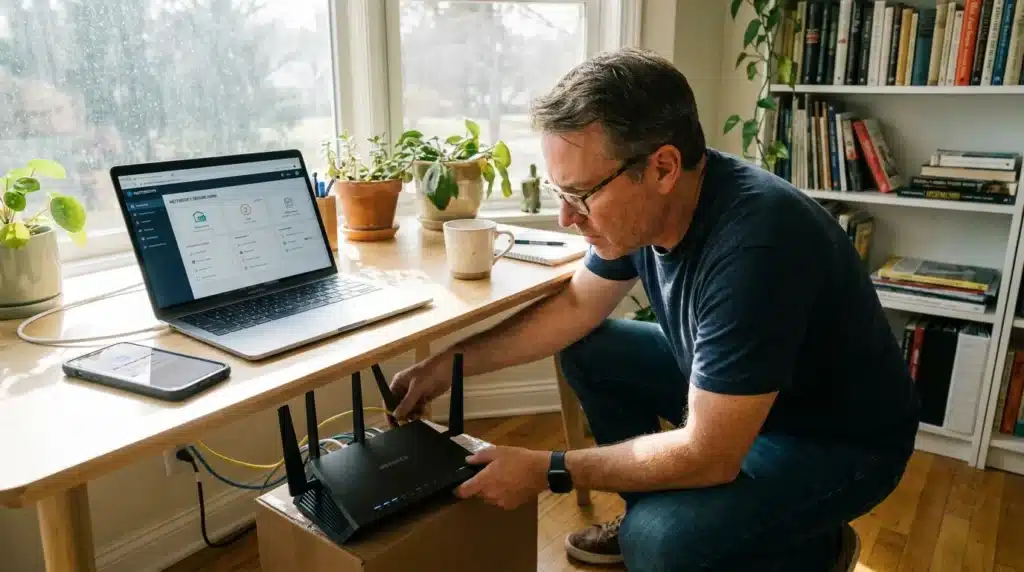
Your home Wi-Fi is often the weakest link in your security chain. Many people leave their routers with default settings, making it easy for neighbors or hackers to join the network.
You need to follow an ultimate guide to protecting your home Wi-Fi network to prevent unauthorized access. This includes changing your SSID name and using the latest encryption standards.
The risks increase even more when you leave your home and connect to shared networks. Using a laptop or phone in a public space can expose your passwords to anyone on the same connection.
Learning how to prevent identity theft on public Wi-Fi is a key skill for travelers and digital nomads. Always use a VPN to encrypt your traffic before it leaves your device.
Module 3: Protecting Your Privacy from App Tracking
Our smartphones are tracking devices that we carry in our pockets every day. Apps are constantly collecting data on where you go, what you buy, and who you talk to.
Most of this tracking happens in the background without you ever knowing it. This data is then sold to advertisers or, in the worst cases, leaked to criminals.
You should find and use the hidden settings to stop apps from tracking your phone to reclaim your privacy. These settings allow you to choose which apps can see your location and your activity.
By limiting the data you share, you reduce your “digital footprint” and make it harder for people to build a profile on you. Privacy is a right, but it is one you have to fight for in the modern world.
Module 4: Managing Social Media and Personal Exposure
Social media is a gold mine for people who want to steal your identity or scam your friends. We often share too much information about our lives without thinking of the risks.
A simple photo of your vacation or your new car can tell a criminal where you live and when you are away. This is why your profile settings must be as strict as possible.
Reviewing the essential privacy settings for your social media accounts is a task you should do at least once a month. Make sure only your trusted friends can see your posts and personal details.
Check your “About” section and remove any mention of your phone number, email address, or hometown. The less information you give away for free, the safer your digital identity will be.
Module 5: The Importance of Regular Software Maintenance
Software updates are not just about new features or better graphics. Most of the time, they are released to fix dangerous bugs that hackers are already using.
If you see a notification for an update on your phone or computer, install it immediately. Waiting even a few days can give a criminal enough time to find a way into your system.
Set your devices to “Auto-Update” whenever possible. This ensures that you stay protected against the latest threats without having to think about it every day.
“True digital safety is not a product you buy. It is a set of habits you practice every time you click a link or open an app.”
The Role of Physical Security in a Digital World
We often forget that our physical devices are the entry points to our digital lives. If someone steals your phone or laptop, they have a direct path to your private data.
Always use a strong passcode or biometric lock on your mobile devices. Never leave your electronics unattended in a public place, even for a few seconds.
If you lose a device, you should have a plan to wipe the data remotely. Most modern operating systems offer this feature, and it is a key part of any digital safety roadmap.
By combining strong physical habits with smart digital settings, you create a shield that is hard to break. You are moving from being a target to being a defender of your own life.
Guarding Against the Psychology of Scams
Hackers don’t always use code to get into your accounts; sometimes they just use your emotions. Phishing is a method where someone tricks you into giving away your password.
They might send an email that looks like it is from your bank or a popular online store. The message will create a sense of urgency, telling you that your account will be closed if you don’t act now.
Always stop and think before you click. Check the sender’s email address and look for small spelling mistakes that indicate a scam.
Your bank will never ask for your password or your social security number over an email. Trusting your instincts is one of the best ways to stay safe in an environment full of lies.
Defending Your Financial and Personal Digital Assets
Securing your accounts and networks is a massive step forward. However, the modern internet user faces threats that go beyond simple passwords.
Hackers often target the most sensitive parts of your life: your money and your home. They look for any small opening to steal your savings or watch your private moments.
Protecting these areas requires a deeper level of awareness and better tools. This section will guide you through the more complex layers of your digital safety roadmap.
Protecting Your Money from Digital Thieves
Online banking has made life easier, but it has also made it easier for criminals to steal your hard-earned money. A single mistake can lead to an empty bank account in seconds.
Most people rely on their bank’s basic security, but you need to do more. You should learn how to secure your online banking from digital thieves to prevent unauthorized transfers.
Always check your bank statements every week to look for small charges you do not recognize. Thieves often test a card with a small amount before trying to steal a large sum.
Never use public computers or open Wi-Fi when checking your balance. According to security research from Forbes Advisor, using encrypted connections is a top priority for protecting financial data.
Securing the Internet of Things in Your Home
Your smart bulbs, cameras, and locks are all connected to the internet. While these devices are helpful, they are also “entry points” for hackers who want to enter your network.
If your smart camera is not secure, a stranger could be watching your family right now. This is a terrifying thought that keeps many people from using smart technology.
You can stop this by knowing is your smart home spying on you and taking steps to block intruders. Always change the default admin passwords on every device you buy.
Keep your smart home devices on a separate guest network if your router allows it. This keeps your main computer and phone safe even if a smart bulb is hacked.
Identifying and Removing Hidden Threats
Spyware is a type of software that stays hidden on your computer and watches everything you do. It can record your keystrokes, see your photos, and steal your logins.
Many people have spyware on their devices without ever knowing it. You might notice your computer running slowly or seeing strange pop-up ads.
Knowing how to detect hidden spyware on your PC is an essential skill for anyone who uses a computer daily. Regular scans with trusted security tools are the best way to stay clean.
Avoid downloading “free” software from websites you do not trust. These programs often come with hidden trackers that monitor your every move online.
Family Protection and Long-Term Data Security
Your digital safety plan is not complete until it includes the people you care about the most. Children are especially vulnerable to online threats because they are often too trusting.
You must also think about what happens to your data if your computer or phone breaks. Losing years of photos and documents can be a tragedy that is easy to prevent.
A Parent’s Guide to Child Online Safety
The internet is a vast world with many dark corners that are not safe for kids. Predators and scammers often hide on gaming platforms and social media apps.
You need to have an honest talk with your children about what they share online. Following a guide to child online safety will help you set the right boundaries.
Use parental control tools to limit what your kids can see and how much time they spend online. This is not about spying on them; it is about protecting them from things they are not ready for.
Teaching your kids about “digital strangers” is just as important as teaching them about strangers in the real world. Encourage them to come to you if they see anything that makes them feel uncomfortable.
The Science of Safe Data Backups
Computers fail, phones get lost, and ransomware can lock your files forever. If you do not have a backup, you could lose everything in a heartbeat.
Having a copy of your data in a safe place is the ultimate insurance policy. You should learn the steps to backup your data safely at home to ensure your memories are protected.
Follow the 3-2-1 rule for backups: keep three copies of your data, on two different types of media, with one copy kept offsite. This ensures that even a fire or flood at home cannot destroy your digital life.
Cloud storage is great, but having a physical hard drive in a safe location is even better. Experts at Microsoft Security emphasize that offline backups are the best defense against modern ransomware attacks.
Cleaning Your Digital Space: Stopping Spam Forever
Spam is more than just an annoyance; it is a delivery system for scams and malware. A cluttered inbox makes it easy to click on a dangerous link by accident.
Most people just delete spam, but the emails keep coming back. You need a permanent solution to keep your primary email address clean and safe.
You can learn how to stop spam emails forever using filters and “burner” email addresses. Never use your real email to sign up for random newsletters or free trials.
Use a separate email for your bank and important government accounts. This makes it much harder for scammers to guess which accounts you actually use.
“A secure digital life is built on small, daily choices. You do not need to be a tech expert to protect yourself; you just need to be consistent.”
Long-Term Digital Hygiene Habits
Safety is a habit, not a product. To stay safe for years to come, you must treat your digital life like you treat your physical home.
Update your software as soon as you see a notification. These updates often contain “patches” that fix dangerous holes in your security.
Review your app permissions every few months. If an app you rarely use has access to your location or camera, turn it off.
The fewer “doors” you leave open, the harder it is for a hacker to find a way inside. Your goal is to be a difficult target, not an easy victim.
Fatal Errors: Digital Mistakes That Put You at Risk
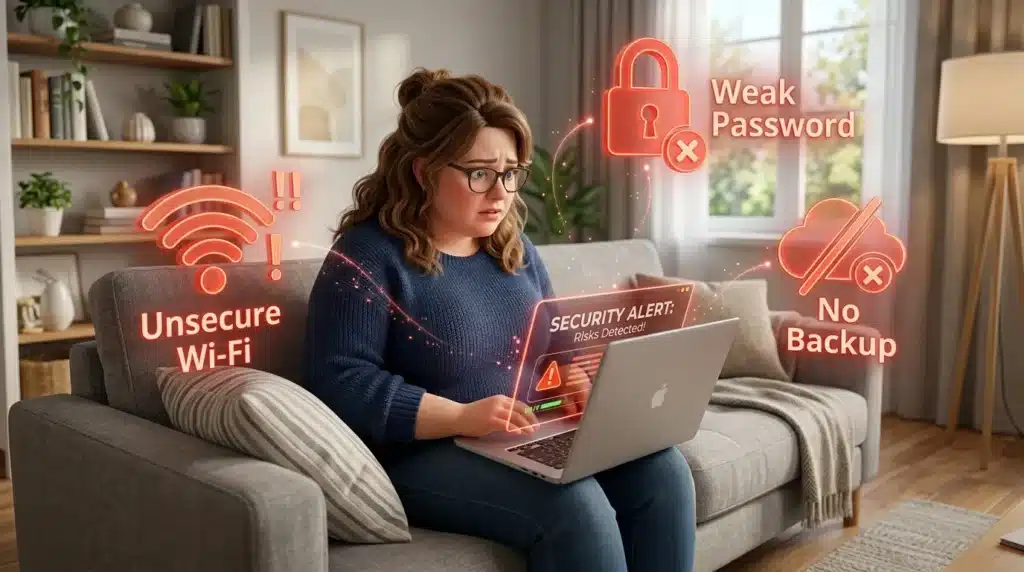
Even people who think they are safe often make simple mistakes that lead to disaster. Understanding these pitfalls is the only way to avoid them.
- Using the Same Password Everywhere: If one site is hacked, all your accounts are open. This is the fastest way to lose your entire digital identity in one night.
- Ignoring Two-Factor Authentication: Relying only on a password is no longer enough. You need that second layer of protection to stop hackers who already have your login.
- Trusting “Urgent” Emails or Texts: Scammers use fear to make you act without thinking. Never click a link in a message that says your account will be closed “now.”
- Not Backing Up Your Data Regularly: Thinking “it won’t happen to me” is a dangerous gamble. A broken hard drive can happen to anyone at any time.
- Over-sharing Your Life on Public Profiles: Giving away too many personal details makes it easy for hackers to answer your security questions. Keep your birthday, pet’s name, and hometown private.
If you ignore these risks, you are leaving your money, your privacy, and your family’s safety in the hands of strangers. Taking action today is much easier than fixing a stolen identity later.
Answers to Your Most Common Digital Security Questions
1. Is a password manager really safe to use for everything?
Yes, a password manager is much safer than using weak passwords or writing them down. They use high-level encryption that is nearly impossible for hackers to break.
2. How can I tell if my computer has hidden spyware on it?
Look for signs like a very slow system, strange pop-up ads, or a battery that drains too fast. Running a scan with a trusted security program will give you a final answer.
3. What is the best way to keep my kids safe on the internet?
The best way is a mix of technology and talking. Use parental controls to block bad sites and have regular talks with your kids about digital safety.
4. Can hackers really see through my smart home cameras?
Yes, if you use the default password or have an unsecure Wi-Fi network. Always change your passwords and keep your camera’s software updated.
5. Why do I keep getting so many spam emails every day?
Scammers get your address from data leaks or when you sign up for untrusted websites. Using filters and being careful where you share your email can stop the flow.
Reclaiming Your Digital Peace of Mind
The internet is a wonderful tool that connects us to the world, but it requires respect and preparation. By following this ultimate digital safety guide, you have built a shield around your life.
You now have the tools to protect your money, your kids, and your private data. You do not have to live in fear of the next big data breach or a mysterious email.
Take what you have learned today and start applying it one step at a time. Change one password today, set up a backup tomorrow, and talk to your kids this weekend.
Your digital life is yours to control, and now you have the roadmap to keep it that way. Stay smart, stay alert, and enjoy the online world with total confidence.
Your future is bright when you know you are protected. Start your journey to a securely life right now and never look back.
Taking these steps gave me back a sense of peace that I hadn’t felt in a long time. You don’t have to do everything in one day, but starting with just one small change right now will make you feel so much better tonight. Go ahead and take that first step toward your own digital freedom—you really do have the power to stay safe!
Safety Disclaimer: The information on Securely Life is for general educational purposes only. Digital security is a rapidly changing field, and no system is 100% foolproof. We recommend using professional security software and following the official safety guidelines from your bank and device makers. Securely Life is not responsible for any data loss, financial theft, or privacy breaches resulting from the use of this information. Always stay updated with the latest security news from trusted government sources.