The Night My Front Door Just Stopped Working
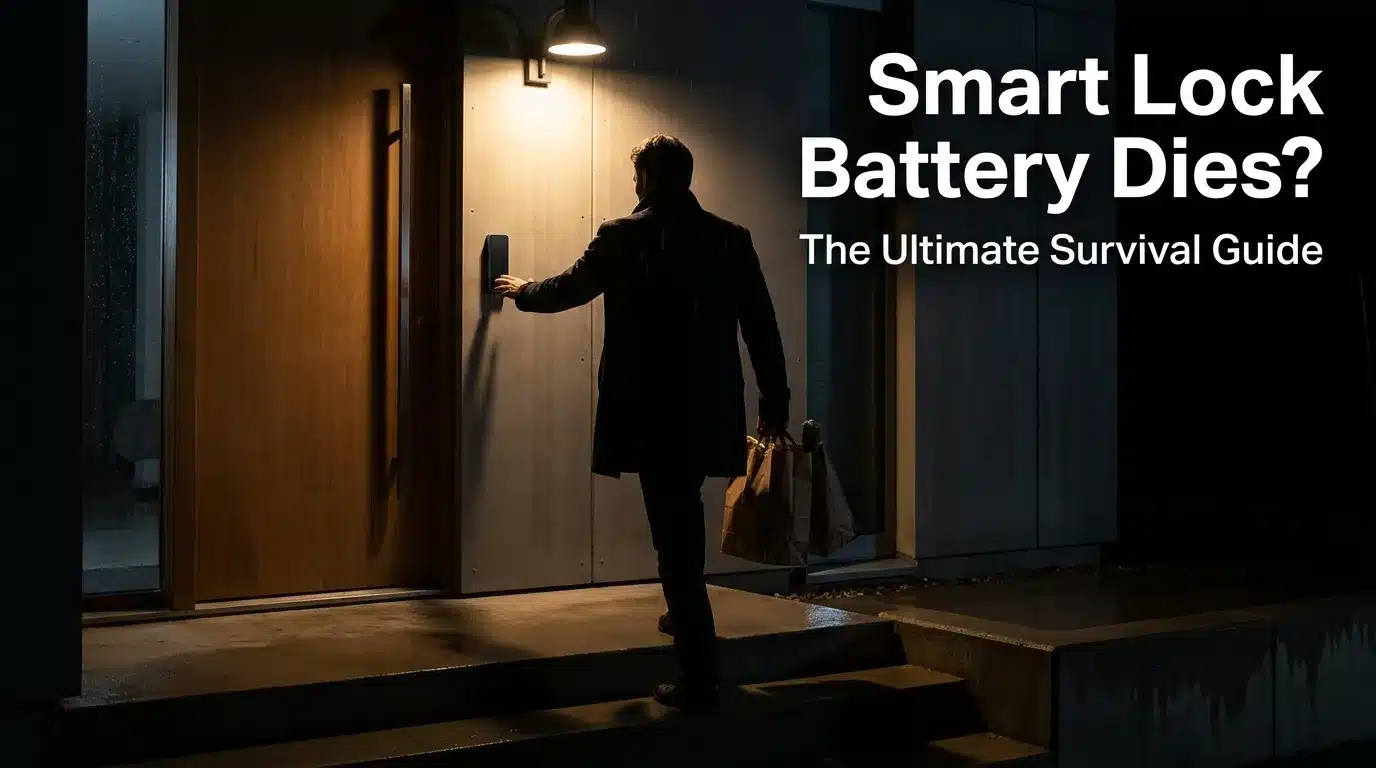
I still remember standing on my own porch at 11 p.m., punching my code into the keypad, and getting nothing back. No beep. No green light. Just a dark little screen staring at me like it had never worked at all.
My grocery bags were digging into my arms, my dog was barking on the other side of the door, and I was locked out of my own house. I checked my phone app, hoping for a low-battery alert I might have missed. There wasn’t one.
My smart lock battery had just quietly died, with zero warning, right when I needed it the most.
If this has happened to you, you already know the specific kind of panic it causes. It is not just annoying. It messes with your sense of safety in your own home.
Here is what that moment feels like for a lot of people, based on what I have read in home security forums and lived myself:
- You start wondering if someone tampered with the lock instead of just a dead battery.
- You feel a little silly standing outside your own door, tapping a screen that will not respond.
- You worry about your kids or pets getting home before you figure this out.
- You start Googling “smart lock battery dead no key” on your phone, in the dark, half panicking.
- You question whether you made a mistake switching from a plain old deadbolt in the first place.
That last one is the big one. A lot of homeowners quietly wonder if a smart lock’s mechanical body still needs to meet the same durability standards as a regular lock, or if the electronics are the whole story. If you have asked yourself that question, our guide on smart locks vs deadbolts and which is actually safer breaks it down in plain language.
The good news: a dead smart lock battery is almost never a true emergency. It just feels like one at 11 p.m. with grocery bags in your hands. Let’s walk through what to actually do.
What a Dead Battery Really Does to Your Smart Lock
Most smart locks are built to “fail secure.” That means when the battery dies, the door stays locked, not unlocked. This is a safety feature, not a bug, even though it does not feel like one when you are stuck outside.
The keypad, the app connection, and the auto-lock motor all need power to work. Once the battery drops below a certain point, all of that shuts off. The only things left that still work are the parts that need no electricity at all.
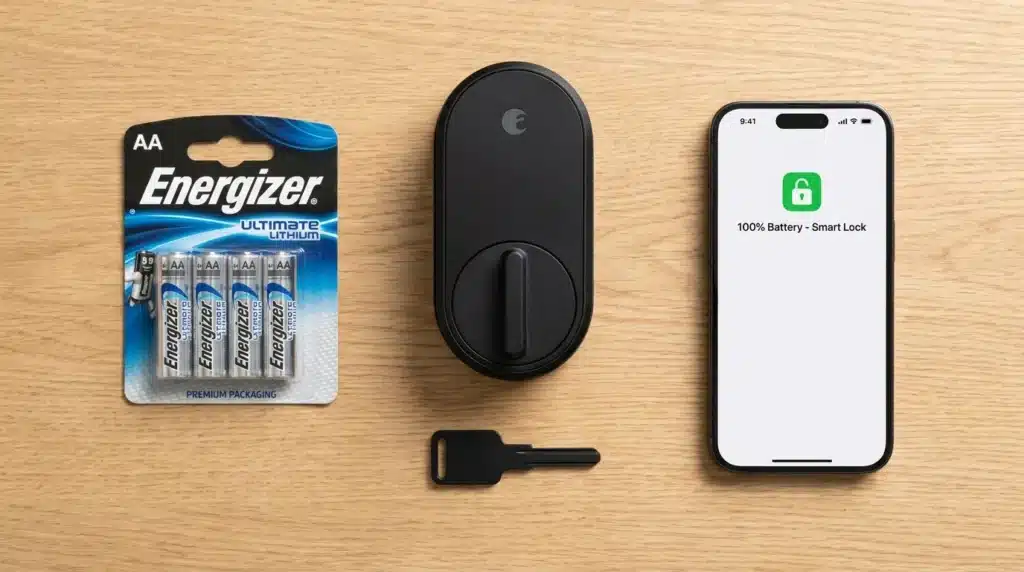
That is exactly why every smart lock worth buying still has a physical key cylinder or an emergency power option built in. If yours does not have either one, that is worth knowing before your next lock purchase, not after you are locked out again.
Check for the Warning Signs You Probably Missed
Before you assume the worst, take thirty seconds to check for clues.
- Open your lock’s app. Many apps log a “low battery” push notification days before the lock actually dies, and it is easy to swipe those away without reading them.
- Look at the keypad LED. A flashing red light or a specific chirp pattern usually means low power, not a broken lock.
- Think back to the last time you changed the batteries. If it has been close to a year, that is your first suspect.
Try the 9-Volt Emergency Jump Start First
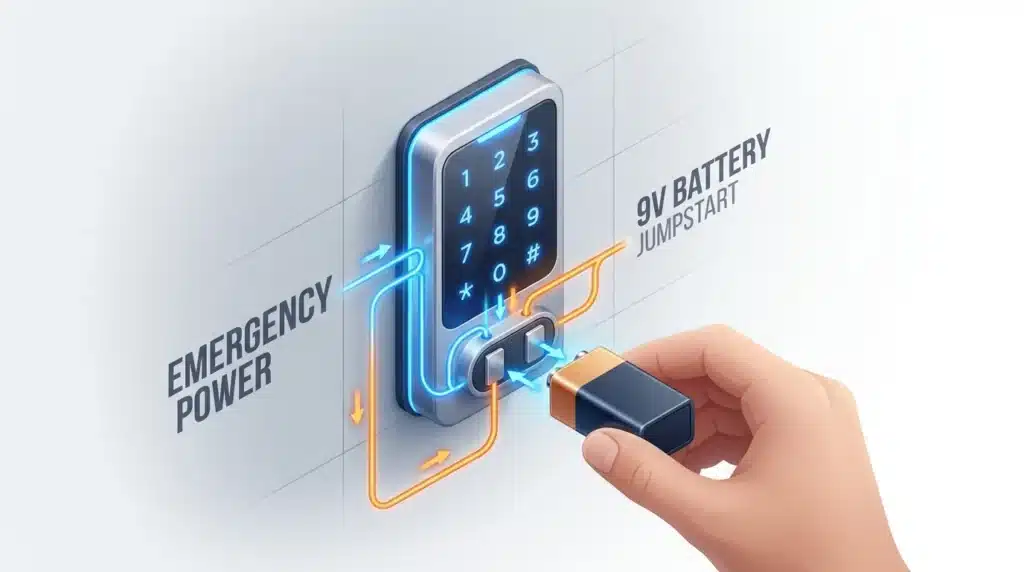
Most keypad deadbolts, including popular Schlage and similar models, have small metal contacts hidden near the bottom of the keypad or under the housing. Touching a fresh 9-volt battery to those contacts sends a temporary jolt of power, just enough to wake the keypad up so you can enter your code one last time.
Here is the general process, though your exact model may vary slightly:
- Find the two metal contacts, usually below the keypad or logo.
- Hold a fresh, high-quality 9-volt battery against both contacts at the same time.
- Watch for lights or listen for beeps confirming the jump worked.
- Enter your normal access code right away while the power is still there.
- Go inside and replace the internal batteries immediately.
If you want the exact official steps for a specific brand, the Allegion support knowledge base walks through the manufacturer’s own jump-start procedure step by step.
My honest pro tip here: I used to keep my spare 9-volt battery in a kitchen drawer, which sounds fine until you realize the drawer is inside the house you are locked out of. I now keep one in a small weatherproof pouch clipped inside my mailbox. It sounds small, but that one habit has saved me twice already.
Use Your Backup Key (Yes, You Still Need One)
Every smart lock that is actually worth trusting still has a mechanical key override, even the ones that look fully digital. If the jump-start trick does not work, or you simply do not have a 9-volt battery handy, this is your real fallback.
Keep a spare key somewhere that is not “under the mat.” A trusted neighbor, a locked case in your car, or a hidden spot chosen with a bit more thought works far better. Our guide on creative places to hide a safe in your house has some ideas that also work for spare keys.
Why Cold Weather Kills Smart Lock Batteries Faster Than You Think
If your lock always seems to die in winter, you are not imagining it. Battery chemistry genuinely changes in the cold.
According to Battery University, the performance of most batteries drops noticeably at low temperatures, with many types operating at around half their normal capacity once temperatures fall to about -20°C (-4°F). Your smart lock is sitting outside, exposed to exactly that kind of temperature swing every single night.
That is why a battery that reads “fine” indoors can suddenly act “dead” the moment it is sitting on a freezing exterior door.
Watch this before you go any further.
A Quick Checklist to Run Through Right Now
Print this out or screenshot it. Keep it somewhere you can find it without your phone, since your phone might be the thing locked inside.
- [ ] Check the app for a missed low-battery alert
- [ ] Try a fresh 9-volt battery on the jump-start contacts
- [ ] Locate your mechanical backup key
- [ ] Keep spare AA or CR123 batteries (whichever your lock uses) somewhere outside the house
- [ ] Note the date on your calendar every time you change batteries
- [ ] Test the lock’s low-battery alert setting inside the app so you actually notice it next time
Myth vs Reality: Smart Lock Batteries
| Myth | Reality |
|---|---|
| “Smart locks unlock automatically when the battery dies.” | Most fail secure, meaning the door stays locked, not open, for safety reasons. |
| “A dead battery means the lock is broken.” | It almost always just means the batteries need replacing, nothing mechanical is wrong. |
| “Cold weather doesn’t really affect small household batteries.” | Low temperatures slow the chemical reaction inside the battery and reduce usable power, even in AA and CR123 cells. |
| “If it has a backup key, you don’t need to worry about the battery.” | You still need working batteries for the keypad, app control, and auto-lock; the key is only your last resort. |
How to Stop This From Happening Again
The single biggest fix is turning battery changes into a routine instead of a surprise. Fire departments already figured this out with smoke detectors, and the same logic applies here.
The National Fire Protection Association encourages people to change their smoke alarm batteries whenever they change their clocks for daylight saving time, and this exact habit works just as well for your smart lock. Pick two dates a year, put them on your calendar, and swap the batteries before they die, not after.
A few other habits worth building:
- Buy quality alkaline or lithium batteries instead of the cheapest pack on the shelf. Cheaper cells tend to lose power faster, especially outdoors.
- If your lock is on an exterior door exposed to full sun or heavy wind, expect the batteries to drain a little quicker than the manufacturer’s average estimate.
- Pair your smart lock with better door hardware overall. Our reinforce your front door guide covers upgrades that matter regardless of what kind of lock you use.
- If you are planning to be away for a while, read through securing your home during vacation before you leave, not after you are already gone and the battery dies while you are 500 miles away.
Picking a Lock With Better Battery Backup Next Time
If you are shopping for a new smart lock, or replacing the one that just let you down, pay attention to more than the app features.
Look for a model with a real mechanical key override, not a cosmetic one, and check whether the physical lock body meets a recognized hardware grade. The mechanical components, including the latch and bolt, are certified separately from the electronic features, and a smart lock with an unrated mechanical body is not a great choice even if the app looks impressive. A quick look at any listing’s hardware grade tells you a lot before you buy.
Also check the manufacturer’s stated battery life honestly, then plan for it to run out sooner in real-world use, especially in colder climates or high-traffic households.
Getting locked out because of a dead battery is frustrating, but it is rarely dangerous and it is almost always fixable in under ten minutes once you know what to try. A jump-start battery, a spare key, and a reminder on your calendar cover almost every situation you will run into.
If your front door setup could use a bigger refresh beyond just the lock, our nighttime home security checklist and beginner’s guide to home security are good next stops.
The Habits That Actually Keep Your Smart Lock Reliable Long-Term
Getting unlocked once is one thing. Making sure this never happens again is a different skill, and it comes down to a handful of small habits.
Pick the right battery chemistry for your climate. Standard alkaline batteries are fine for most homes, but if your door faces direct wind, deep shade, or regular freezing temperatures, primary lithium AA cells tend to hold their voltage far better in the cold. They cost more upfront, but you will change them less often, and you will not get caught out during the exact weather that makes a lockout most miserable.
Think about where your door actually sits. A north-facing door in a cold climate goes through bigger daily temperature swings than a covered porch entry. A lock baking in full afternoon sun has a different problem: heat speeds up self-discharge even when the lock is not being used. Neither situation is something you can fully control, but knowing which one applies to your home tells you how often to actually check the battery level instead of just trusting the manufacturer’s average estimate.
Clean the contacts once in a while. Corrosion on the metal battery contacts inside the lock is one of the quiet reasons batteries seem to “die early” even though they still have charge left. A cotton swab with a bit of isopropyl alcohol on the contact points, done every time you swap batteries, keeps the connection clean and the power transfer efficient.
Set a real reminder, not a mental note. “I’ll remember” is exactly how most people end up standing outside their own door at night. Put a recurring reminder on your phone, tied to a date you will actually notice, like the first of a season or a bill due date you already track.
“The lock that failed on me wasn’t a bad lock. It was a battery I forgot about for eleven months. That’s on me, not the hardware.”
If your lock supports it, know the backup power option before you need it. Some models offer a USB-C emergency power port instead of, or in addition to, a 9-volt jump. If yours has one, keep a small portable charger near the door specifically for this, not buried in a bag somewhere else in the house.
Pair the lock with a wider check-in habit. If you already glance at your smart home camera app each morning, add a two-second glance at the lock’s battery percentage while you are there. Stacking small habits together is much easier to keep up than a separate task you have to remember on its own.
Landlords and property managers should treat this differently than a single homeowner would. If you manage a rental with a keypad lock, batteries drain faster simply because more people are using the keypad more often. A quarterly battery swap, logged in a simple spreadsheet with the unit address and swap date, prevents a tenant lockout call at an inconvenient hour.
The Mistakes That Turn a Small Battery Problem Into a Real Lockout
Most smart lock battery emergencies are not really about the battery. They are about a small habit that quietly built up over months.
Waiting for the chirp is the biggest one. By the time your lock beeps or flashes its low-battery warning, you are usually looking at days, not weeks, before it fails completely. Treating that warning as a “someday” task instead of a “this weekend” task is how people end up locked out on a random Tuesday night.
Mixing old and new batteries together. It feels harmless to top off a set of four AA batteries with two fresh ones and two half-used ones. In reality, this creates an uneven power draw, which can drain the fresh batteries faster and, in some cases, cause leaking inside the battery compartment.
Storing spare batteries loose and unprotected. Loose 9-volt or coin batteries tossed in a junk drawer with keys or coins can short circuit against metal objects, generating heat. The U.S. Consumer Product Safety Commission specifically warns that button and coin batteries pose a serious hazard around children and pets if left loose and easily accessible, and recommends storing spare batteries in their original packaging or a sealed container until use, following CPSC’s official battery safety guidance.
Ignoring app notifications because there are too many of them. If your phone is already flooded with app alerts, it is easy to swipe away a genuine low-battery warning without reading it. Take five minutes to mute the notifications you do not need so the ones that matter actually stand out.
Forgetting the mechanical key even exists. A backup key that has not been used in two years can stick, or you might not even remember which key on your keyring it is. Test it every few months, the same way you would test a smoke alarm.
Buying the cheapest batteries available “just to save a few dollars.” Bargain batteries often have lower actual capacity than the label suggests, and they tend to leak sooner. For a lock protecting your front door, this is not the place to cut corners.
Assuming a low-battery lock is a warranty issue. Most manufacturers do not cover normal battery drain, since it is expected maintenance, not a defect. Confusing the two wastes time you could have spent just replacing the batteries and moving on with your day.
Quick Answers About Smart Lock Batteries
How long do smart lock batteries usually last?
Most smart locks run for six months to a year on a fresh set of batteries, depending on how often the lock is used and the weather it is exposed to. Heavy daily use, extreme cold, or a lock with lots of connected features will drain batteries faster than that average.
Can I use rechargeable batteries in my smart lock?
Some models support rechargeable NiMH batteries, but many manufacturers specifically recommend against them because rechargeables often deliver a slightly lower voltage than alkaline or lithium cells. Check your lock’s manual before switching, since using the wrong type can cause inaccurate battery readings.
Will my smart lock alert me before the battery dies completely?
Most modern smart locks send a low-battery notification through the app and show a warning light or sound on the keypad. That said, notifications can be missed or delayed, so do not treat the absence of an alert as proof the batteries are fine.
What if my lock does not have a 9-volt jump-start option?
Not every model includes this feature, so your mechanical backup key becomes your main fallback. This is worth checking before you buy a lock, not after you are already locked out.
Is it safe to keep spare batteries near the lock outside?
A weatherproof container is fine for short-term storage, but avoid leaving batteries somewhere exposed to direct sun or standing water for long periods. Extreme heat and moisture both shorten a stored battery’s shelf life.
Do smart locks lose stored access codes when the battery dies?
Most locks keep user codes saved in non-volatile memory, meaning a dead battery will not erase them. Once you replace the batteries, your existing codes should work exactly as they did before.
Your Action Plan for Tomorrow
You do not need to overhaul your whole security setup this week. You just need three small actions, done in the next few days, to make sure this specific problem does not repeat itself.
First, check your lock’s battery percentage in the app right now, while you are thinking about it. Second, buy a fresh 9-volt battery and a spare set of whatever type your lock uses, then store them somewhere outside the house. Third, put a recurring reminder on your calendar for battery changes, tied to a date you will not forget.
If you want to round out your front door setup properly, take a look at our guide on reinforcing your front door and our tips for securing garage side doors, since a strong lock only matters as much as the door it is attached to.
I used to think a smart lock meant I never had to think about security again, and that assumption is exactly what left me standing outside my own house that night. Now I treat the battery like I treat my smoke alarm, a small habit instead of an afterthought, and it has never let me down since. Take five minutes today to check yours. Your future self, standing at the door with your hands full, will be glad you did.
Disclaimer: This article is for general informational and educational purposes only and does not replace professional locksmith, electrical, or security advice specific to your property. Battery jump-start steps and lock behavior can vary by brand and model, so always refer to your manufacturer’s official instructions before attempting a repair, and consult a licensed locksmith or security professional if you are ever unsure about your lock’s condition or your home’s safety.