The Night My Phone Almost Couldn’t Help Me
I still think about that night sometimes. I was driving home alone on a quiet road when my car slid on some ice and spun off into a ditch. I wasn’t hurt badly, just shaken up, but my hands were shaking so hard I could barely hold my phone. I unlocked it, and for a second I just sat there staring at the screen, trying to remember my husband’s number because my phone was password protected and I couldn’t get into my contacts fast enough. It felt like the longest ten seconds of my life.
That moment stuck with me. I realized I had never actually set up my phone to help me in an emergency. I had contacts saved, sure, but nothing that a stranger — or even a scared version of me — could reach without unlocking the whole phone first.
If you have ever had a scare like that, even a small one, you already know how much it matters to have this sorted out before you need it.
Here is the hard truth: most of us carry a phone everywhere, yet very few of us have actually set it up to work for us during a crisis. We assume we will “get to it later.” Later rarely comes until something forces the issue.
When your phone is not ready, small emergencies turn into scary ones. A twisted ankle on a hike becomes a panic when you cannot remember who to call. A minor accident becomes worse when paramedics cannot reach your family because your phone is locked. The gap between having a phone and having a phone that actually helps you is smaller than you think, but it takes a few minutes to close.
- You worry about your teenager walking home from school without anyone knowing who to contact if something happens.
- You picture yourself passed out somewhere, and a stranger trying to help has no way to know your medical conditions or who to call.
- You feel that quiet anxiety every time you travel alone, wondering what would happen if you got hurt in a place where nobody knows you.
- You keep meaning to set this up, but life gets busy and it slips down the list again and again.
That low-grade worry is exhausting. It sits in the back of your mind, especially if you are a parent, a caregiver, or someone who travels a lot for work. The good news is that fixing this does not take hours. It takes about ten minutes, and once it is done, you can stop carrying that particular worry around with you.
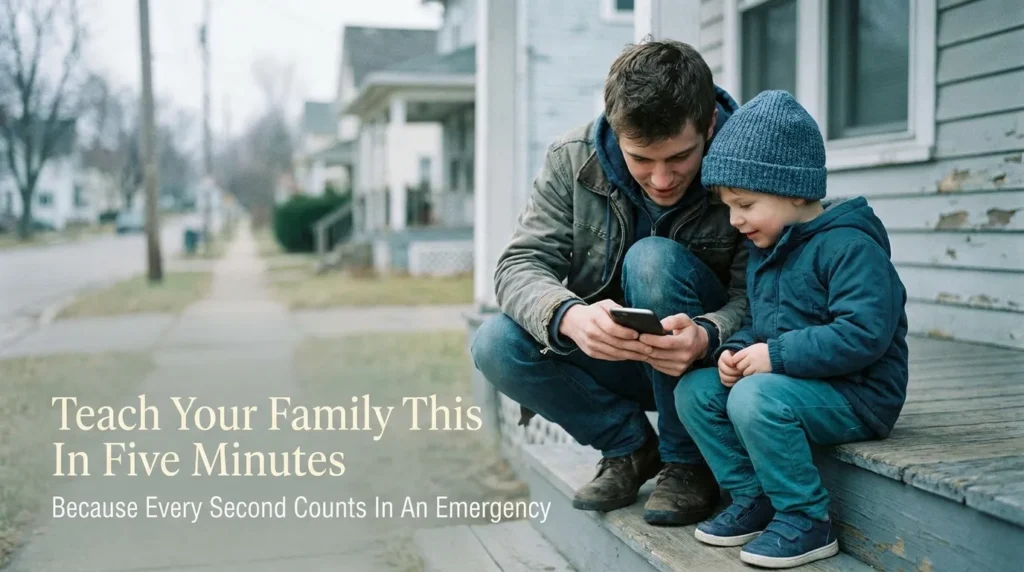
Setting Up Your Phone So It Actually Works For You
Let’s get your phone ready. I am going to walk you through this the way I set up my own phone after that night in the ditch, and the way I now walk my own family through it too.
Start With the People, Not the App
Before you touch a single setting, grab a pen and paper (yes, actual paper) and write down two or three people who should be called if something happens to you. These should be people who:
- Know your medical history, or can get to it quickly
- Are reachable during the day, not just evenings
- Would actually pick up an unknown number, since first responders often call from a hospital or ambulance line
I made the mistake early on of only listing my husband. He travels for work sometimes, and one week he was on a flight when I needed him listed as reachable. Now I always add a backup person who lives nearby, even if it is a neighbor rather than family.
Don’t stop at family and friends, either. A few less obvious numbers are worth saving somewhere on your phone too:
- Poison Control (in the US, this is 1-800-222-1222), in case of an accidental swallow or exposure
- Your emergency vet’s number, if you have a pet who could be home alone during a crisis
- Your gas or utility company’s emergency line, especially useful if you ever smell gas or lose power unexpectedly
These are not people you would think to call in a panic, which is exactly why they are worth having saved ahead of time.
Add Emergency Contacts Inside Your Phone’s Health or Safety Settings
Both iPhone and Android phones let you add contacts to a section that is visible even when the phone is locked, so paramedics or a good Samaritan can reach someone without needing your passcode. On an iPhone, this lives inside the Health app, under your Medical ID. On most Android phones, including Samsung and Pixel devices, you will find it under Safety and Emergency in your settings.
Here is the exact path so you are not hunting for it: from your locked iPhone screen, tap “Emergency” in the bottom-left corner, then tap the “Medical ID” tab at the bottom of that screen. This works the same way whether your phone uses Face ID or a Home button, so you do not need to worry about which model you have. On Android, open Settings, search for “Safety and Emergency,” and tap into Medical Info from there.
If you want a full walkthrough for your specific device, we already have a step-by-step guide to the best personal safety apps for keeping loved ones connected that pairs well with this setup.
Fill Out Your Medical ID, Not Just Names
This is the part people skip, and it is honestly the most useful part. Your Medical ID should include:
- Any allergies, especially to medications
- Current medications you take regularly
- Blood type, if you know it
- Any conditions like diabetes, epilepsy, or heart issues
- Your height and weight, which paramedics use for dosing decisions
According to the American Red Cross, having this basic medical information available in an emergency can meaningfully speed up the care you receive, since responders do not have to wait for a family member to arrive before starting treatment (redcross.org).
Pro Tip: The first time I filled mine out, I left the allergy field blank because I thought “I don’t have any serious allergies, why bother.” Then I remembered I have a bad reaction to a specific antibiotic. It is a small detail, but it is exactly the kind of thing that matters most when you cannot speak for yourself. Fill in every field you can, even the ones that feel unnecessary.
Turn On Lock Screen Access
Having the information saved is not enough if it is hidden behind your passcode. Both iPhone and Android let you display emergency information right from the lock screen, without unlocking the phone at all.
Watch this quick two-minute walkthrough to see exactly where these settings are hiding on your device, then come back and finish setting up your own list below:
Once your medical information is visible from the lock screen, anyone who picks up your phone during an emergency can see it immediately, no passcode required.
Build a Backup List Outside Your Phone
Phones die. Screens crack. Batteries drain at the worst possible time. This is why I also keep a small paper card in my wallet with the same two contacts and a note about my one allergy. It sounds old-fashioned, but the Centers for Disease Control and Prevention specifically recommends keeping a physical, non-digital backup of emergency information as part of any family preparedness plan, since digital devices can fail exactly when you need them most (cdc.gov).
This backup list is also a good moment to think beyond your phone. If your family relies on a shared plan, it is worth pairing this with a broader family emergency communication and situational awareness plan, especially if your kids are old enough to travel or commute on their own.
A Quick Checklist Before You Move On
Use this to confirm you have covered the basics:
- [ ] Two to three emergency contacts chosen and confirmed reachable
- [ ] Contacts added inside your phone’s Health or Safety settings
- [ ] Medical ID filled out completely, including allergies and medications
- [ ] Lock screen access to emergency info turned on
- [ ] A paper backup card kept in your wallet or bag
- [ ] Contacts reviewed and updated after any major life change (new phone number, new doctor, new medication)
Why “ICE” Still Matters, Even on Modern Phones
You may have heard of saving a contact simply as “ICE,” which stands for In Case of Emergency. It started years ago, before smartphones had built-in Medical ID features, as a way for paramedics to quickly spot the right person to call in someone’s regular contact list.
Some paramedics, especially ones who have been on the job a long time, still check for a contact saved under this name out of habit. It costs nothing to add one, so it is worth doing as a simple backup alongside your Medical ID setup.
Common Emergency Contact Setups Compared
| Method | Works Without Unlocking Phone | Needs Internet | Best For |
|---|---|---|---|
| Phone’s built-in Medical ID / Safety settings | Yes | No | Everyday personal safety |
| Saved contact labeled “ICE” (In Case of Emergency) | No | No | Backup, older phones |
| Physical wallet card | Yes | No | Dead battery, cracked screen |
| Family safety app | Sometimes | Yes | Ongoing location sharing with family |
Notice that no single method covers everything on its own. That is exactly why combining your phone settings with a low-tech backup, like the wallet card, gives you the most reliable setup.
If your household also worries about hidden hazards at home, not just phone readiness, it is worth pairing this habit with a look at other quiet risks, like checking your gas leak and carbon monoxide safety basics or reviewing general personal safety habits for daily life. Small, ten-minute habits like these add up to real peace of mind.
We will continue in Part 2 with what to do once your list is set up, how often to review it, and a few situations people often forget to plan for.
Keeping Your Setup Sharp for the Long Run
Setting this up once is a great start. Keeping it accurate is what actually makes it useful when you need it.
I check mine every time I get a new phone, and honestly, that habit has saved me twice already. Once I switched carriers and my “emergency” contact was still my old roommate’s number from three years ago. She would have had no idea what to do with that call.
Set a recurring reminder on your calendar every six months to open your Medical ID or Safety settings and just glance through it. It takes less than two minutes once everything is already set up.
Sync It Across Every Device You Own
If you have a tablet, a smartwatch, or a second phone, check whether your emergency information carries over automatically. On many devices it does not.
I learned this the hard way when my watch had none of the emergency details my phone had. Now I treat every device I wear or carry as its own mini safety kit, not just an extension of my phone.
Loop In the People You Listed
Here’s something people forget completely: telling your emergency contacts that you picked them.
Call them. Tell them what to expect. Ask if they are comfortable being the first call in a crisis, and make sure they actually know your basic medical details too, not just your name and number.
My sister did not know I was allergic to a specific medication until I told her directly, even though her name had been sitting in my emergency contacts for over a year. That gap could have mattered.
Add Context, Not Just Contacts
A name and a number help, but a little context helps more. If you have young kids, list who picks them up. If you live with a pet, note who feeds it if you are hospitalized unexpectedly.
Some people add a short note like “Call spouse first, then mother” so responders or family members know the order to try. This tiny detail can save precious minutes during a real emergency.
Think About Travel Situations Separately
Your regular emergency contact might not be reachable if you are traveling abroad. Before any trip, I add a local contact for wherever I am going, even if it is just the hotel front desk or a friend in that city.
Here’s a small hack I use every time I travel: as soon as I check into a hotel, I temporarily add the front desk number to my lock screen emergency info, right alongside my usual contacts. Local staff can respond faster than someone back home who is hours away and unfamiliar with the area. I remove it again once I check out, so my list stays accurate for my next trip.
Pair this habit with our guide on staying safe while running or cycling at night if you are someone who exercises in unfamiliar areas while traveling, since the same “someone should know where I am” logic applies there too.
Where People Quietly Get This Wrong
I want to talk honestly about the mistakes I see most, because a few of them are easy to make without even realizing it.
The biggest one is setting it up once and never touching it again. Life changes fast. Phone numbers change. Doctors change. Medications change. An emergency contact list from two years ago can be more dangerous than having no list at all, because it gives responders false confidence in information that is no longer true.
Another mistake is only listing one person. If that person does not answer, and it happens more than you would think, there is no backup plan at all. Always list at least two contacts, ideally people who do not live together, so a local emergency does not take out both of them at once.
Some people also skip the medical details completely and only add a name and number. I understand the instinct toward privacy here, but leaving your Medical ID blank defeats most of the purpose. Paramedics use this information to make fast decisions, and every blank field is a decision they have to make with less information than they need.
There is also a quieter mistake: never telling your emergency contacts they are listed. Imagine getting a call from a hospital about someone you did not know had picked you as their contact. That confusion wastes time nobody has in an emergency.
“The best emergency plan is the one your family actually knows about, not just the one saved on your phone.”
Finally, some people set up their phone but ignore the low-tech backup entirely. Phones crack. Batteries die at 2 percent right when you need them most. A simple wallet card with the same information costs nothing and takes five minutes to make, yet it is the step most people skip.
If home safety is on your mind too, it is worth reading our breakdown of gas leak and carbon monoxide safety basics, since both habits come from the same “small effort now, big payoff later” mindset.
Real Questions People Ask About Emergency Contacts
Can a stranger see my emergency contacts without unlocking my phone?
Yes, that is the entire point. Both iPhone and Android let you display emergency information right on the lock screen, so paramedics or bystanders can see it without needing your passcode at all.
How many emergency contacts should I add?
Most safety experts suggest at least two, ideally people who live in different locations so a local incident cannot knock out both. Three is even better if you travel often.
Do I need to add my emergency contacts as regular contacts too?
Yes. Your emergency contacts need to already exist as saved contacts in your phone before you can add them to your Medical ID or Safety settings, so add them there first if you have not already.
What if I do not want to share my medical conditions?
You can leave sensitive fields blank, though allergies and current medications are worth including even if you skip everything else, since these two details most directly affect emergency treatment.
Should kids have emergency contacts set up on their phones too?
Yes, and this matters even more for kids, since they are less likely to remember phone numbers under stress. A simple setup with one or two trusted adults is enough for most children.
Your Ten-Minute Action Plan for Today
Here is what I want you to do right after you finish reading this, not tomorrow, not next week.
Open your phone’s Health app or Safety settings. Add your two or three contacts. Fill in your allergies and medications, even the ones that feel minor. Turn on lock screen access. Then grab an index card, write the same information down, and put it in your wallet.
I still remember how helpless I felt sitting in that ditch, fumbling with my phone. I never want to feel that way again, and I do not want you to either.
You do not need a perfect system. You just need one that works when your hands are shaking and you cannot think straight. Take the ten minutes today. Future you will be glad you did.
Disclaimer: This article is for general informational purposes only and is not a substitute for professional medical, legal, or emergency planning advice. Always follow guidance from qualified medical professionals and your local emergency services when preparing your personal safety plan.