A few months ago, I was sitting in my living room late at night when I suddenly noticed my laptop’s webcam light flicker for a split second. My heart skipped a beat, and I felt a cold chill thinking that someone might be staring at me from the other side of the screen. That scary moment made me realize how exposed I truly was, and it pushed me to find a real way to lock down my digital privacy forever.
Imagine sitting in your home office, thinking you are completely alone. You are working, relaxing, or spending time with family, unaware that a stranger might be watching everything through that tiny lens on your laptop. This is not a scene from a movie; it is a growing reality known as “camfecting.”
Many people live with a constant, nagging fear that their privacy is being invaded. You might notice your webcam light flickering for a second, or your computer acting slow, and your heart sinks. This feeling of being “observed” in your most private moments can lead to significant stress and a loss of mental peace.
The struggle to find a real solution is often made worse by the sea of confusing technical advice found online. You want to feel safe, but you are not sure which software to trust or if a simple piece of tape is enough. Following the ultimate digital safety guide for beginners is a great starting point, but webcam security requires a more specific, layered approach.
Why Standard Security Often Fails to Protect Your Lens
Most users believe that having a basic antivirus program is enough to keep them safe. Unfortunately, the reality is much more complex. Hackers use sophisticated “Remote Access Trojans” (RATs) that can bypass traditional security filters and take control of your hardware.
- You might rely on the “indicator light,” but advanced malware can now record you without the light ever turning on.
- The internet is full of “free” security tools that are actually disguised spyware designed to steal your data.
- Many people ignore the built-in permission settings of their apps, giving dozens of programs access to their cameras.
- Homeowners often forget about secondary cameras, such as those on smart TVs or baby monitors.
This lack of control over your own devices can destroy your confidence. It makes you feel like an outsider in your own home. You deserve to work and live without the fear of a digital peeping tom. By using a professional Master Plan, you can reclaim your privacy and ensure your digital environment is truly yours.
The Psychological Burden of a Digital Privacy Breach
Living with the risk of unauthorized access does more than just threaten your data; it threatens your self-esteem. The idea that someone could be recording your private conversations or personal moments is a heavy burden. It creates a sense of “digital paranoia” that affects your productivity and your relationships.
We have seen cases where people stop using their computers altogether because they no longer trust them. This is why it is so important to detect hidden spyware on a personal computer as soon as you suspect something is wrong. Restoring that trust requires a systematic protocol that addresses both the software and hardware vulnerabilities of your system.
“Privacy is not a luxury; it is a fundamental human right that must be defended with both physical and digital barriers.”
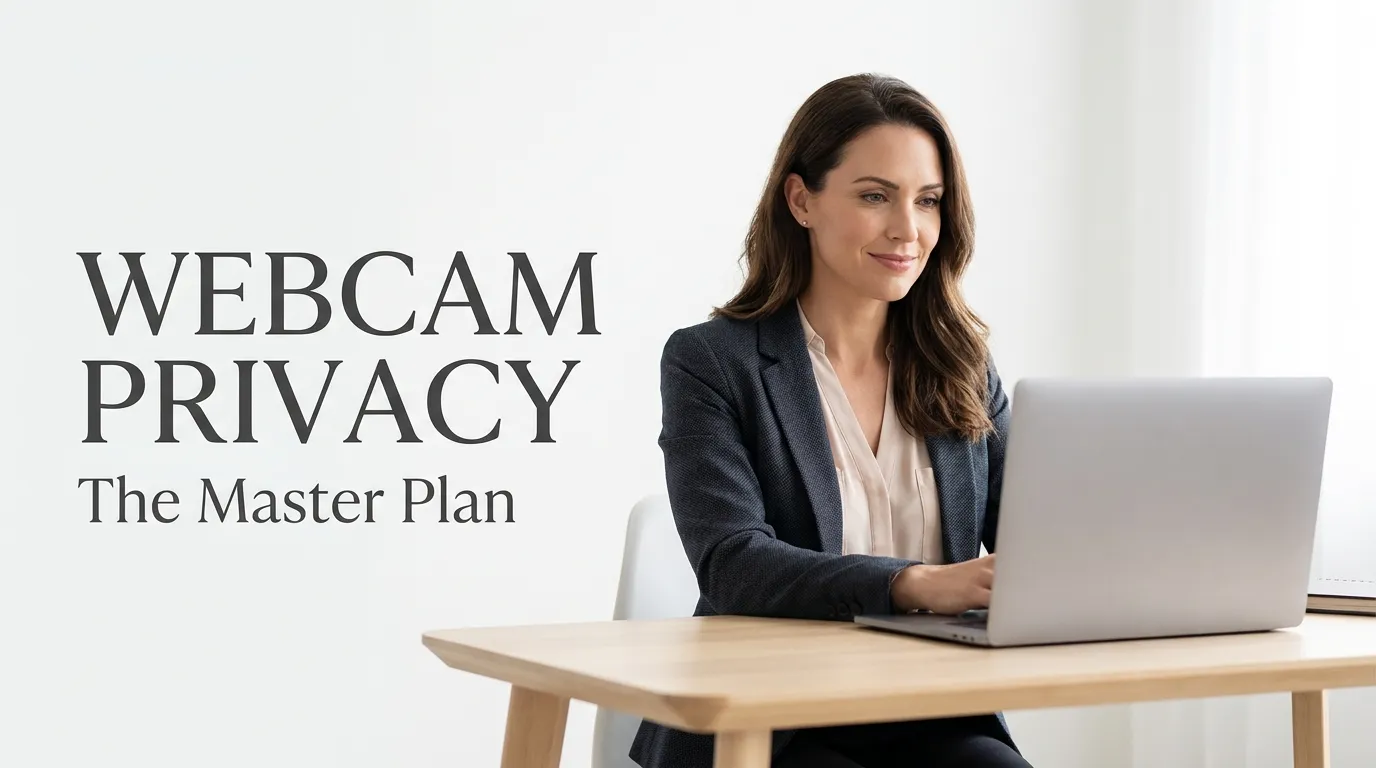
The Privacy Lockdown Roadmap: Shielding Your Workspace
To truly protect yourself, we must move beyond basic tips. This section provides a field-tested protocol to secure your cameras. We will look at physical safeguards, system permissions, and advanced network monitoring.
Phase 1: Physical Protection and Hardware Isolation
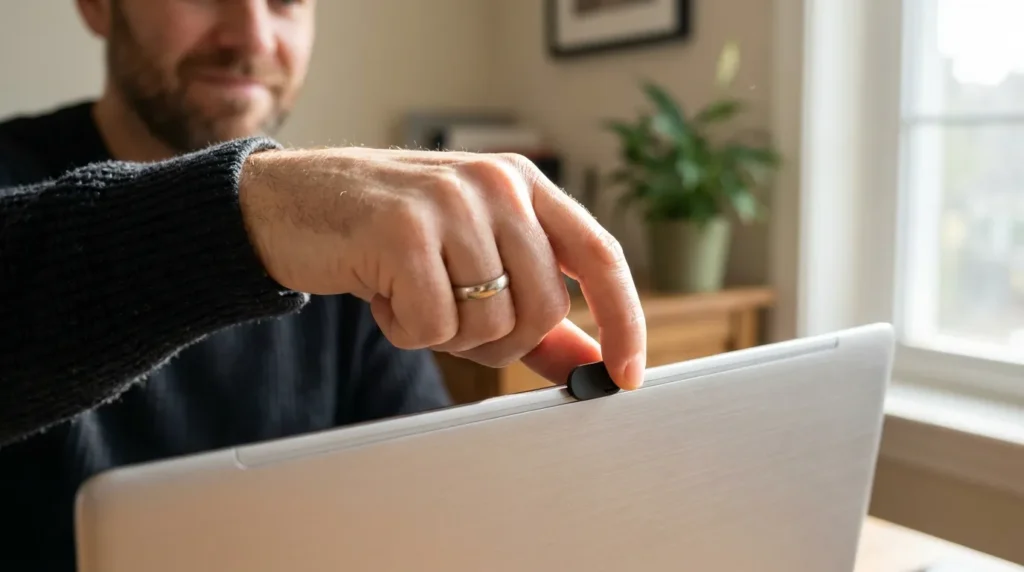
The only 100% effective way to stop a hacker from seeing you is a physical barrier. While many use sticky notes or tape, these can leave a messy residue on your expensive lens. Investing in the best webcam covers for privacy is a smarter, more professional choice. These small plastic sliders allow you to open the camera when you need it and keep it completely blocked when you don’t.
If you are using an external USB webcam, the easiest solution is to unplug it when it is not in use. This “air-gapping” technique ensures that no amount of code can activate the device. For laptop users, a physical slider is an essential part of your daily 5 essential tips for a securely life routine.
One mistake I made for a long time was trusting the little indicator light on my computer way too much. I used to think that if the light was off, I was safe, but I later learned that smart hackers can actually turn on your camera without that light ever blinking. Now, I never trust the software alone and always keep my camera covered with a physical slider because you can’t hack a solid piece of plastic!
While you are managing your desk setup, do not forget about the physical environment. Ensuring proper home office electrical cord safety is important to prevent tripping hazards. A clean workspace also benefits from non-toxic indoor plants for workspace, which improve air quality and lower stress without harming your pets.
Phase 2: Mastering Administrative Permissions and OS Controls
Your operating system (Windows or macOS) has built-in tools to manage camera access, but they are often set to “allow” by default. You need to take manual control. Go into your Privacy & Security settings and look for the “Camera” tab.
Here, you should be disabling built-in camera permissions for every app that does not strictly need it. Why does a photo editor or a weather app need access to your webcam? By narrowing the list of authorized apps, you significantly reduce the “attack surface” for hackers.
Additionally, you should check your browser settings. Many websites try to access your camera without you noticing. Set your browsers to “Always Ask” or “Block” by default. This creates a manual gate that a hacker must pass through, giving you a chance to stop the intrusion before it starts.
Phase 3: Securing the Internet of Things (IoT) and Pet Cameras
We often focus so much on our laptops that we forget about other lenses in the house. Hackers frequently target smart home devices because they often have weaker security than computers. Securing pet cameras from hackers is a major part of a modern privacy plan.
Many pet cams and baby monitors use default passwords that are easy to guess. You must change these immediately to long, complex strings. If your camera allows it, enable two-factor authentication (2FA). This ensures that even if someone steals your password, they still cannot watch your video feed.
When you secure smart home devices, you protect your entire family. This includes considering the cybersecurity for smart door locks and other connected sensors. If your network is open, a hacker could move from a lightbulb to your webcam in minutes.
Phase 4: Network Hardening and Router Defense
Your router is the front door to your digital home. If the router is weak, every device inside is at risk. You should always protect your home wifi network by using WPA3 encryption and a unique SSID name.
A hacker needs a path to send your webcam data back to their server. By monitoring your outgoing traffic, you can see if your computer is “talking” to a suspicious location. Using anti-malware for webcam protection that includes a firewall is a great way to block these unauthorized data streams.
Remember, a secure network is the foundation of digital safety. If you keep your “digital door” locked at the router level, most webcam hackers will move on to an easier target. This is the difference between being a victim and being a hard target.
Understanding the Role of Modern Malware (RATs)
To fight the enemy, you must understand their tools. Remote Access Trojans (RATs) are the primary weapon used for webcam spying. These are often hidden inside “free” software downloads, pirated movies, or email attachments. Once a RAT is on your system, the hacker has total control.
They can turn on your mic, see your screen, and record your webcam. They can even browse your files to find compromising information for blackmail. This is why you should never click on suspicious links or download files from unknown sources. High-level security is 20% hardware and 80% user behavior.
Check out this eye-opening demonstration from the Wall Street Journal below! It shows exactly how hackers can take control of your camera and why you need to follow the security steps we are discussing in this guide.
Bonus: Improving the Home Office Safety Environment
While you are focusing on the screen, look at the physical world around you. Safety is a holistic concept. For instance, cluttered wires under your desk are not just ugly; they are a fire risk. Proper home office electrical cord safety ensures your workspace is as physically secure as it is digitally protected.
Furthermore, consider your health. Spending hours in a room with poor air quality can lead to fatigue. Choosing non-toxic indoor plants for workspace like Spider Plants or Boston Ferns can clean the air and make your office feel more like a sanctuary. A happy, healthy environment makes it easier to stay focused on your security protocols.
Hardening Your Digital Borders: Advanced Defense Protocols
Physical sliders and basic software settings are your first line of defense. However, to truly stop an expert hacker, you need to think like a security engineer. This part of our Master Plan focuses on high-level moves that most people ignore.
Disabling the Hardware at the Source (BIOS/UEFI)
If you are a laptop user and rarely use your internal camera, there is a hidden way to block it. You can enter your computer’s BIOS or UEFI settings during startup. Most modern laptops allow you to “Disable” the camera hardware entirely at the motherboard level.
This is the ultimate shield because it does not rely on Windows or Mac software. Even if a hacker gains administrative access to your desktop, the camera will not “exist” in the device manager. It is like cutting the wire without actually using scissors. If you ever need it for a meeting, you can simply re-enable it by restarting the machine.
Creating a Virtual Barrier with Virtual Webcams
Another pro-level secret is using a “Virtual Webcam” software as an intermediary. Instead of giving apps like Zoom or Skype direct access to your physical hardware, you route your camera through a software layer. This allows you to monitor exactly which app is requesting the feed at all times.
Advanced virtual camera tools can also alert you if a hidden process tries to capture the stream. This adds a “software gatekeeper” to your system. It is a smart way to manage your social media privacy settings guide habits by being selective about what gets a live view.
Segregating Your Smart Device Traffic
If you use external cameras for home monitoring, do not let them sit on your main Wi-Fi. Most hackers jump from a weak IoT device to a laptop. You should set up a “Guest Network” on your router specifically for your cameras and smart door locks.
By keeping your lenses on a separate digital island, you prevent a breach in one device from spreading to your work computer. This is a major part of securing pet cameras from hackers and maintaining overall home integrity. You should always protect your home wifi network with a strong, unique password to prevent this type of cross-device spying.
Maintaining Long-Term Privacy Habits
Security is not a single act; it is a routine. You should audit your app permissions every three months. If you see an app you no longer use, remove it immediately.
Always use a high-quality secure online banking safety mindset when creating passwords for your camera accounts. Using multi-factor authentication (MFA) is no longer optional in the modern age. It is the only way to ensure that a stolen password does not turn into a live spy feed in your bedroom.
“A secure home is built on a foundation of layers. Every setting you change and every physical cover you use builds a wall that hackers hate to climb.”
Fatal Errors That Leave Your Privacy Exposed
Even the best technology cannot save you if you make basic mistakes in your daily routine. Many people think they are safe while they are actually leaving the door wide open for intruders. Here are the most common pitfalls that can ruin your privacy roadmap.
The Danger of Ignoring Firmware Updates
Many people skip the “Update Now” notifications for their external webcams or smart home devices. This is a major mistake. These updates often contain “patches” for security holes that hackers have already discovered. According to the Federal Trade Commission (FTC), keeping software updated is the most important step in preventing remote access.
Trusting “Free” Privacy Software
The internet is full of tools that claim to “block webcam spies” for free. Many of these are actually Remote Access Trojans in disguise. They promise to protect you but end up being the very thing that records you. Only use software from well-known, trusted security companies that have a transparent history.
Leaving the “Always On” Settings Active
Some apps have a “Keep camera active in background” setting to help with quick logins. This is a privacy nightmare. If an app is always listening or watching, it can be hijacked without you ever knowing. Always force your apps to ask for permission every single time they want to use the lens.
Neglecting the Risk of Public Wi-Fi
Using your laptop at a coffee shop without a VPN is like inviting everyone in the room to look at your screen. Hackers on the same network can intercept your data and find ways to activate your hardware. If you are traveling, always follow the best practices to best ways to backup your data safely at home so you can wipe your system if it gets compromised.
Forgetting the “Indicator Light” Can Be Faked
A very common myth is that “If the light is off, I am safe.” This is false. Professional-grade malware can now disable the LED light while the camera is still recording. Relying on that little green or white light is a dangerous habit that gives you a false sense of safety.
Addressing Your Privacy Concerns: FAQ
How to tell if someone has hacked your webcam?
Look for suspicious behavior like the indicator light turning on when you aren’t using the camera. Also, check your computer for unknown processes in the task manager or new files you didn’t create. If your webcam settings change on their own, it is a strong sign of unauthorized webcam access.
Can hackers access my laptop camera without the light turning on?
Yes, it is technically possible. Sophisticated malware can manipulate the driver settings to record video while keeping the hardware LED disabled. This is why you should always use best webcam covers for privacy as a physical backup.
Does a webcam cover actually protect against unauthorized access?
A physical cover provides 100% protection against visual spying. Even if a hacker takes total control of your software, they cannot “see” through a piece of plastic. It is the most reliable tool in your Master Plan for privacy.
Are pet cameras and smart home devices easy to hack?
If they use default passwords and are connected to an unsecured Wi-Fi, yes. Securing pet cameras from hackers requires changing passwords immediately and using a separate network for IoT devices. According to CISA guidelines, IoT security is often weaker than standard PC security.
What is the best way to block unauthorized camera access on Windows and Mac?
On Windows, go to Privacy settings > Camera and toggle off “Allow apps to access your camera.” On a Mac, go to System Settings > Privacy & Security > Camera and uncheck any app that doesn’t need it. For total safety, disabling the camera in the BIOS is the strongest method.
Reclaiming Your Digital Sanctuary
Protecting your privacy is an act of self-respect. You have the right to feel safe and unobserved in your own home. By following this Master Plan, you have built a wall that few hackers can ever hope to cross.
Do not wait for a suspicious event to happen before you take action. Start today by sliding a cover over your lens and checking your app permissions. It only takes a few minutes to secure your digital life, but the peace of mind it brings will last forever.
Stay vigilant and keep your workspace tidy. Remember that home office electrical cord safety and non-toxic indoor plants for workspace are part of a healthy, secure life. Your home is your castle; make sure you are the only one with a key to its windows.
Taking these small steps gave me a huge sense of relief that I haven’t felt in a long time. You don’t have to be a tech genius to stay safe; you just need to start with one simple action today to reclaim your peace of mind. Go ahead and cover that lens right now—you will sleep so much better knowing that your private life is truly private!
Disclaimer: The information provided in this guide is for educational purposes only. While we follow industry standards for cybersecurity, no digital system can be 100% immune to threats. Securely Life is not responsible for any data breaches or hardware issues resulting from the use of these tips. We recommend keeping regular backups of your important data and consulting a professional for severe security concerns.