Have you ever talked about a specific brand of coffee with a friend and then seen an ad for it minutes later?
It feels like your phone is literally listening to your private conversations and watching your every move. This is not just a strange coincidence; it is the daily reality of how modern apps operate on your device.
Every step you take and every website you visit is being recorded, packaged, and sold to companies you have never even heard of. It makes you feel like you are living in a glass house with absolutely no curtains.
You bought your phone to stay connected, not to be followed by a digital stalker that never sleeps. This constant monitoring feels like a violation of your basic human right to have a private life.
You deserve to feel safe and secure when you use the devices you paid your hard-earned money for. It is time to stop the silent spying and take back control of your own personal data.
Why the Right Solutions Feel So Far Away
Many people try to fix their privacy settings but quickly get overwhelmed by the complex menus. Here is why most people fail to stop the tracking and how they get tricked:
- Complicated Menus: Tech companies hide the most important privacy settings behind layers of sub-menus so you will give up looking for them.
- Tricky Design Patterns: Many apps use “dark patterns” which are confusing buttons meant to make you click “Yes” to tracking by accident.
- Misleading Information: You might be told that tracking is needed for the app to work, even when it is only used for selling your data to advertisers.
- Constant Updates: Every time your phone updates, some of your carefully chosen privacy settings might be reset to the default “track everything” mode.
- Shadow Profiles: Even if you don’t use certain social media apps, they can still track you through other websites and apps on your phone.
The True Cost to Your Peace of Mind
Living with the constant feeling of being watched takes a heavy toll on your mental health and confidence. It changes how you interact with the world and how you view your personal safety.
- Digital Paranoia: You start to feel a sense of distrust toward your own phone, which should be a helpful tool rather than a spy.
- Loss of Freedom: Knowing that your location is always being logged makes you feel less free to go where you want without being recorded.
- Feeling Manipulated: Seeing ads for things you only thought about makes you feel like your mind is being read and used for profit.
- Sense of Helplessness: The tech world feels so big and complex that many people feel they have no choice but to give up their privacy.
- Erosion of Trust: It becomes hard to trust any new technology when you feel that every single feature is just another way to collect your data.
You are not just a product for these giant tech companies to sell. Your movements, your interests, and your private talks belong to you and nobody else.
It is a scary reality to face, but ignoring it only makes the problem worse for you and your family. The time has come to stop asking for privacy and start taking it back with your own hands.
You do not need to be a computer expert to lock down your phone and stop the leaks. There are simple, hidden switches inside your settings that can cut off the data flow right now.
We are going to find these silent spies and turn them off one by one to give you back your digital freedom. Let’s build a wall around your data that no greedy app can climb over.
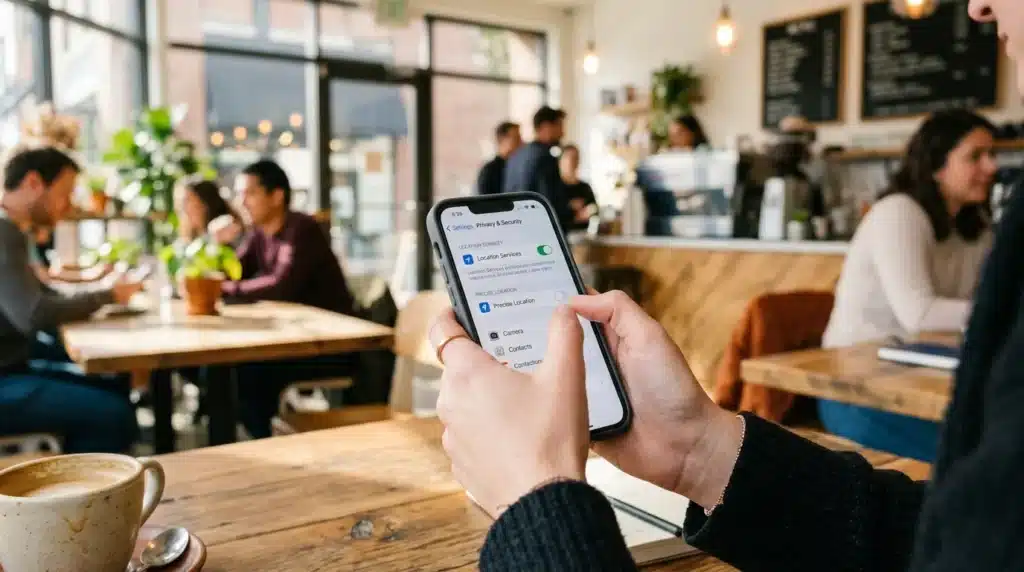
5 Hidden Settings to Stop App Tracking
Step 1: Kill the “Precise Location” Permission
The most valuable piece of data an app can steal from you is your exact location. Most apps ask for permission to use your GPS, and most people just click “Allow” without thinking twice.
But there is a hidden setting called Precise Location that tells the app exactly which room of your house you are in.
A weather app needs to know your city, but it definitely does not need to know your exact street address to tell you if it will rain. When you give an app your precise location, you are letting it build a map of your entire life.
It knows where you work, where you sleep, and which doctors you visit. This data is incredibly valuable to advertisers, but it is a massive risk to your personal safety.
On your phone, go into your Settings and then find the Privacy or Location section. Look at each app and see if “Precise Location” is turned on. Switch it off for almost every app except for maps or ride-sharing tools.
This forces the app to only see a general area rather than your exact spot. It is like telling a stranger which city you live in instead of giving them your house keys.
Step 2: Reset and Limit Your Advertising ID
Your phone has a unique number assigned to it called an Advertising ID. This ID is like a digital license plate that follows you across every app and website you visit.
It allows companies to link your activity on a shopping app with your searches on a web browser. This is how they build a “profile” of you to show those creepy targeted ads.
Most people never even know this ID exists, which is exactly what the ad companies want. If you don’t reset it, the profile they have of you just keeps getting bigger and more accurate over time.
You have the power to “wash” your digital identity and start fresh. Think of it like changing your phone number so the telemarketers can’t find you anymore.
Go to your Settings, find the Google or Apple ID section, and look for Ads. There should be an option to Reset Advertising ID or Delete Advertising ID. Doing this wipes away the history that advertisers have linked to your device.
I recommend doing this at least once a month to keep your profile from becoming too detailed. It is a fast and easy way to stay invisible to the big data trackers.
Step 3: Block Background Data and Sensors
Many apps are like noisy neighbors who try to listen in even when you aren’t talking to them. They stay active in the background, using your microphone, camera, and even your movement sensors while your phone is in your pocket.
This is how some apps can tell if you are walking, driving, or even sleeping. They use this information to guess your habits and sell that data to insurance or health companies.
You might think an app is closed, but it is often still “phoning home” to send your latest data to its servers. You need to cut the cord and stop these apps from working when you aren’t actually using them.
This also has the added benefit of making your battery last much longer every day. It is a win for your privacy and a win for your phone’s performance.
Look for a setting called Background App Refresh or Background Data Usage in your phone’s settings. Turn this off for any app that does not need to be updated every second.
Also, go into your Permissions Manager and check which apps have access to your “Motion and Fitness” or “Sensors.”
If a simple calculator app wants to know how many steps you take, it is definitely spying on you. Revoke those permissions immediately to protect your physical privacy.
Step 4: Audit Your Microphone and Camera Access
It is a common fear that our phones are listening to us, and in many cases, it is actually true. Many apps request access to your microphone and camera for a single feature but keep that access forever.
If you gave a social media app access to your camera to take one photo, it might still have the “right” to use that camera whenever it wants. This is a huge security hole that many people ignore.
You should never trust an app with your eyes and ears unless it is absolutely necessary for the task at hand. Go through your settings and find the “Microphone” and “Camera” permissions list.
You will likely be shocked to see how many apps have permission to listen to you. Change the setting to “Ask Every Time” or “Only While Using the App.”
This ensures that the app must ask for your permission every single time it wants to turn on the microphone. You will see a small green or orange dot on your screen when these sensors are active.
If you see that dot when you aren’t using the camera, you know an app is trying to spy on you. Being alert to these small signs is how you stay one step ahead of the digital trackers.
Step 5: Stop the “Tracking Requests” System
If you use an iPhone, there is a very famous setting that changed the entire world of digital advertising. It is called Allow Apps to Request to Track.
This setting asks the app to stay away from your data from other companies’ apps and websites. When this feature first came out, it cost social media giants billions of dollars because so many people said “No.”
Even if you use an Android phone, you can find similar settings in the privacy section to limit cross-app tracking. By turning this off, you are telling the apps that they are not allowed to follow you outside of their own home.
It is like telling a shopkeeper that they can watch you while you are in their store, but they cannot follow you to the park afterward.
Check your Privacy & Security settings and look for the Tracking section. Make sure the master switch is turned off so apps don’t even bother asking you anymore. This automatically tells every new app you download that you do not want to be followed.
It is a powerful way to set a global “No Tracking” rule for your entire device. You are the boss of your phone, and it is time the apps started listening to your rules.
Why You Should Act Today
Your data is like your digital soul; it is what makes you unique in the online world. Every time you let an app track you, you are giving away a little piece of that soul for free.
Protecting your privacy is not about being paranoid; it is about being smart and taking care of yourself. The tech companies will never stop trying to get your data, so you must never stop defending it.
Start with these five steps today and notice how much cleaner your digital life feels. You will see fewer creepy ads and feel more in control of your own device.
Remember that your privacy is a journey, not a destination. Keep checking your settings every few weeks to make sure nothing has changed without your knowledge. Stay safe, stay private, and keep your personal life personal.
Secure Your Digital Footprint with Pro-Level Tricks
Now that we have covered the basic permissions, it is time to look at the hidden tunnels apps use to follow you. Most users think that if they turn off location, they are invisible.
Unfortunately, your phone uses hidden system services to stay connected to tracking beacons. These are much harder to find but offer the most protection once you turn them on.
One of the best expert secrets is setting up a Private DNS. Every time your phone connects to a website or an app, it sends a request to a DNS server.
Think of it like a digital phonebook that looks up the address of where you want to go. By default, your internet provider or phone maker sees every single request you make.
You can switch to a privacy-focused DNS provider like NextDNS or AdGuard. These services act like a filter for your entire phone.
They block tracking requests and ads at the system level before they even reach your apps. It is a powerful way to stop trackers without having to change settings in every single app one by one.
To find this, go to your Settings and look for Connection or Network Settings. Find the option for Private DNS and enter the provider’s address.
This one move creates a silent shield around your data that works 24 hours a day. It is a total game-changer for anyone who wants to hide from big data companies.
The Secret “System Services” Menu
Both iPhone and Android have a hidden area where the operating system itself tracks you. On an iPhone, this is found deep inside Location Services under a tab called System Services.
You will find a setting there called “Significant Locations” that keeps a log of everywhere you go. It knows when you are at home, at work, and even which coffee shop you visit most.
While Apple has recently restricted how “Significant Locations” works due to rising user privacy demands, it still keeps an encrypted log of your frequent spots. To be absolutely safe, you should clear this history and toggle it off.
While you are in that broader Privacy menu, also check “Apple Analytics” and “Routing & Traffic.” Disabling these stops your movement patterns from constantly being packaged and sent back to the servers.
Android users have a similar hidden area called Usage & Diagnostics. This is often found under the Google tab in your main settings. Google uses this to see how you use your phone and which apps you open.
Turning this off stops your phone from constantly “phoning home” with your activity reports. It makes your device feel faster and keeps your habits private.
Managing Your Third-Party Login Leaks
We often use the “Sign in with Google” or “Sign in with Facebook” buttons because they are fast. However, this creates a permanent data bridge between those tech giants and the new app.
If you are an iPhone user, always prefer “Sign in with Apple” and choose the “Hide My Email” option. For other platforms, treat these quick logins with caution—they are like giving a stranger your master key just to open one door.
Every time you use that app, the big tech company gets a notification about your activity. It is like giving your house keys to a stranger just because they offered to open the door for you.
You need to do a “digital cleanup” of these connections at least once a month. Go to your Google or Facebook account settings and look for Security or Apps and Websites.
You will likely find dozens of old apps that still have access to your personal info. Remove any app that you haven’t used in the last thirty days.
This breaks the chain of data sharing and keeps your profile small. The less these companies know about which apps you use, the harder it is for them to target you.
It only takes a few minutes but offers a huge boost to your digital safety. Be the boss of your own login data and stop the leakage today.
The Ultimate Professional Guideline for Long-Term Privacy
Maintaining your privacy is not a one-time job; it is a lifestyle. You need to treat your phone like a high-security building that needs regular inspections.
If you set a routine, it becomes very easy to stay protected without much effort. Here is a pro-level plan to keep your data safe for the long haul.
First, perform a Quarterly Permission Audit. Set a reminder on your calendar every three months to look at your app list.
If you find an app you haven’t used in a while, delete it completely. Apps that sit idle on your phone can still track your location and collect data in the background. Less apps means less eyes watching your every move.
Second, always use the “Burn-In Period” for any new app you download. When you get a new app, don’t give it any permissions for the first day. Use the app and see if it actually needs your location or microphone to work.
Most of the time, the app functions perfectly fine without those invasive permissions. Only give access when you are 100% sure the app cannot work without it.
Lastly, switch to a Privacy-Focused Browser like Brave or Firefox Focus for your daily searches. Standard browsers like Chrome are designed to track your history and show you ads.
Privacy browsers automatically block trackers and clear your history every time you close them. It is like wearing a disguise every time you walk out into the digital world. These small habits add up to a very strong wall of protection over time.
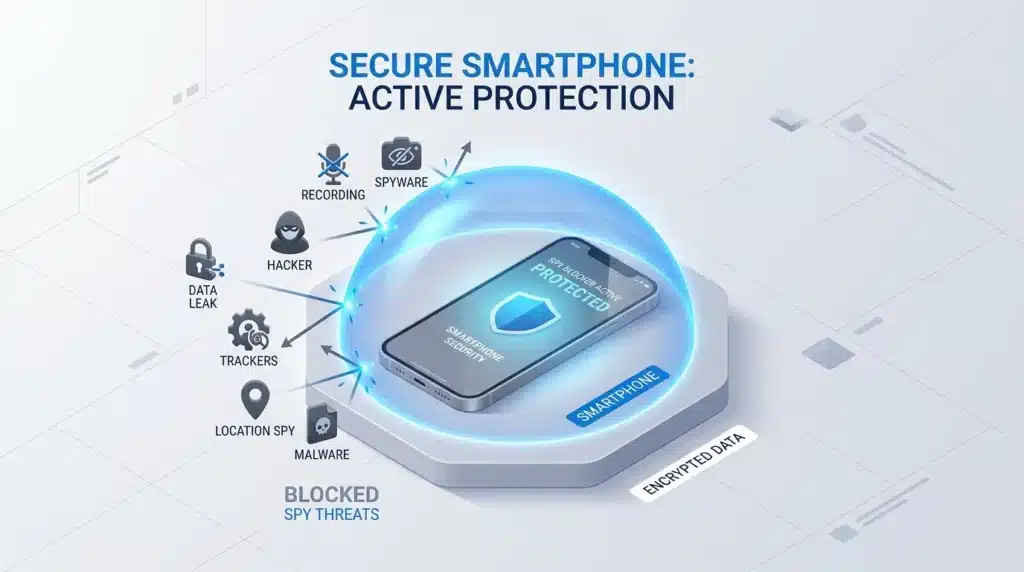
5 Dangerous Privacy Pitfalls That Ruin Your Freedom
When trying to secure a phone, many people make simple mistakes that leave the door wide open.
Even with the best intentions, you might be giving away your data without knowing it. Here are the five biggest mistakes to avoid if you want to stay truly private.
1. Thinking “Incognito Mode” is a Magic Shield.
Most people believe that using a private tab stops all tracking. The truth is that Incognito Mode only hides your history from other people using your phone.
Your internet provider, your employer, and the websites you visit can still see everything you do. Do not rely on this mode for total privacy; use a VPN or a private DNS instead.
2. Leaving Wi-Fi and Bluetooth Always On.
Even if you aren’t connected to a network, your phone is constantly searching for one. Retail stores and malls use “Beacons” to detect these signals and track your path through the building.
They know exactly which aisles you walk down and how long you look at a product. Turn off Wi-Fi and Bluetooth when you leave your house to stop this physical tracking.
3. Choosing “While Using the App” Every Time.
This sounds safe, but it can still be a trap. If you leave an app open in the background, it counts as “using the app” and keeps tracking your location.
Many apps stay active for hours after you think you have closed them. Always force-close your apps or choose “Ask Every Time” for the most sensitive permissions.
4. Ignoring Your Cache and Cookies.
Your phone stores small bits of data from every website you visit. These files act like digital crumbs that allow advertisers to follow you from one site to another.
If you never clear this data, your phone becomes a treasure chest of your history. Go into your browser settings and clear your cache at least once a week to stay clean.
5. Trusting “Free” Apps Too Much.
There is an old saying in the tech world: If you aren’t paying for the product, you ARE the product. Free apps make money by selling your personal data to the highest bidder. Be very careful with free “flashlight” apps, “keyboard” apps, or “photo filters.
” These are often just shells designed to steal your contacts and messages.
Take Control of Your Digital Freedom
You have learned the hidden secrets that tech companies don’t want you to know. Reclaiming your privacy is one of the most empowering things you can do in the modern world.
It feels amazing to know that your phone is working for you, not against you. You are no longer just a data point in a giant corporate spreadsheet.
Start with one setting today. Maybe turn off Significant Locations or reset your Ad ID. Small steps lead to big changes in your digital safety and mental peace.
You deserve to have a private life that stays private. Don’t wait for a data breach to happen before you take these steps.
Your phone should be a tool that helps you live your best life. By locking down these hidden settings, you are ensuring that your device remains a helpful assistant.
Stay alert, stay curious, and never stop defending your data. The power is in your hands, so use it to stay safe and free.