Every time you see your child holding a phone or sitting at a computer, a small part of you feels worried. You wonder what they are looking at right now. Is it a harmless cartoon, or did they stumble onto something that could hurt them?
This is a heavy burden that almost every parent carries in our modern world. According to reports from the American Academy of Pediatrics, the impact of digital media on young minds is a major concern for family health. You want your kids to learn and have fun, but the fear stays in the back of your mind.
It is hard to watch them every second of the day. This constant stress can make you feel tired and anxious about their future. Many people feel they are losing control over what enters their home through a small screen. Following 5 essential tips for a securely life can help you start taking back that control.
Why Most Digital Solutions Feel So Confusing
Many parents try to fix this problem but end up feeling more lost than before. The internet is huge, and it does not have a “parental filter” by default. Here is why the usual path does not always work for busy families:
- Conflicting Advice: There is so much information online that it becomes hard to know what actually keeps a child safe.
- Overly Complex Tools: Most safety software is built for tech experts, not for busy moms and dads who want a simple fix.
- A False Sense of Security: Many people think “Kids Mode” on a single app is enough, but it usually leaves many doors open.
- Smart Kids: Children are very fast at learning how to bypass simple passwords or basic blocks that you put in place.
- Hidden Threats: Dangerous sites change their names and looks so often that basic filters cannot always catch them.
How Digital Risks Steal Your Peace of Mind
Not being able to protect your child online affects more than just their safety. It affects your whole family life and your mental well-being. This is why a comprehensive child online safety guide is necessary for every modern household.
- Constant Anxiety: You can’t relax in the other room because you are always listening for what is happening on their screen.
- Loss of Trust: You might find yourself spying on your kids, which makes them hide things from you even more.
- Parental Guilt: When your child sees something bad, you blame yourself for not being “good enough” at technology.
- Arguments at Home: Fear often leads to strict rules that cause fights about screen time and ruin the happy atmosphere.
“True digital safety is not about spying on your children. It is about building a secure environment where they can learn to make good choices on their own.”
We are not just fighting against bad websites. We are fighting against systems designed to keep kids clicking regardless of the content. This is why you need a plan that is easy to follow and actually works for your specific home environment.
The 7-Step Framework for Comprehensive Child Online Safety
Building a safe environment does not mean you have to be a computer genius. It starts with small, smart steps that build a strong wall over time. Here is exactly how to do this using field-tested strategies that experts recommend.
Step 1: Create an Open Conversation Based on Trust
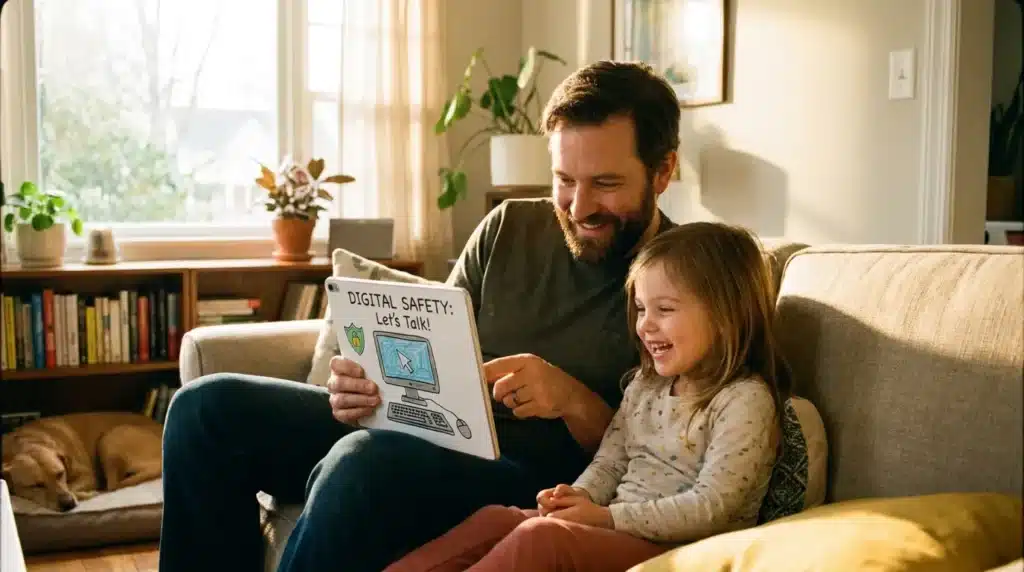
The most powerful tool you have is not a piece of software. It is the relationship you have with your child. Before you lock down any devices, you need to talk to them in a way they understand.
Explain that the internet is like a big city. There are parks and museums, but there are also dark alleys where bad people go. Tell them that your job is to keep them safe, just like you hold their hand when crossing a busy street.
I suggest using the “No Blame” rule. Tell your child, “If you see something scary or gross, you won’t get in trouble if you tell me.” This removes the fear of being punished for an accidental click.
When a child isn’t afraid, they are much more likely to be honest with you. This trust is your first and strongest line of defense against outside threats. Many UNICEF guidelines suggest that open communication is more effective than any blocking software alone.
Step 2: Activate Your First Line of Digital Defense
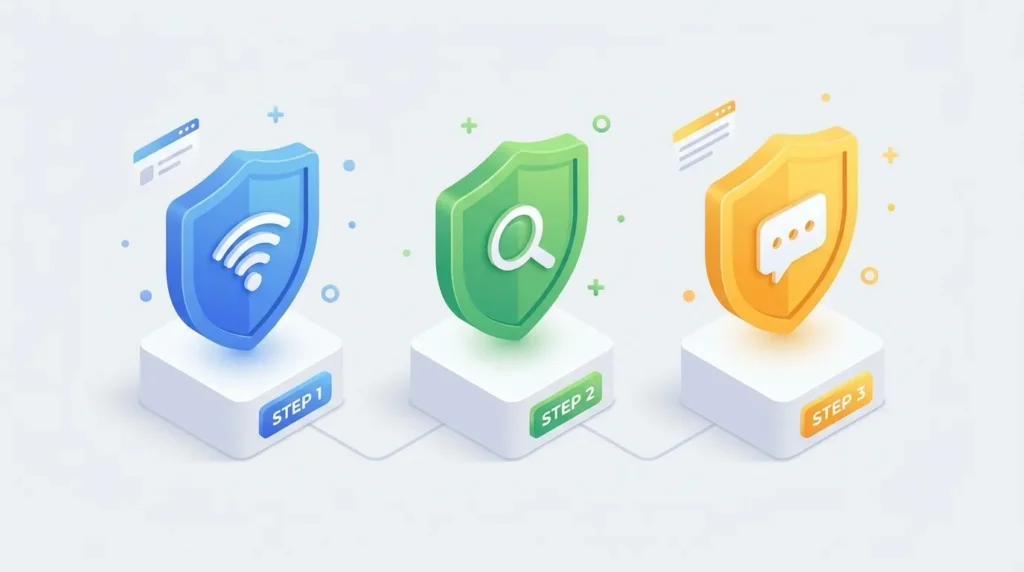
Did you know that every major search engine has a hidden safety switch? Google, Bing, and even YouTube have a feature called Safe Search. This simple tool filters out most of the “bad” images and websites from search results.
To turn this on, go to the settings of the browser your child uses. On Google, search for “SafeSearch settings” and toggle the filter to “On.” This takes less than one minute but makes a huge difference in what they see.
You should also do this on YouTube by enabling “Restricted Mode” in the account settings. It blocks the majority of content flagged for mature audiences, working quietly in the background. While this is helpful, you should also consider using a password manager for every account to keep your own adult accounts locked away from kids.
Step 3: Secure Your Home Network at the Source
If you want to protect every device in your house at once, you need to look at your router. Your router is the “front door” for the internet in your home. Protecting this door is one of the best ways to protect your home Wi-Fi network from many different risks.
Many modern routers come with their own safety apps. You can often click one button to block entire categories of content, such as “Adult Sites” or “Gambling.” This covers phones, tablets, and even gaming consoles at the same time.
If your router is old, you can use a free service called OpenDNS. This acts like a giant filter for your whole home to stop dangerous sites from loading at the source. It prevents a child from accidentally typing a misspelled word that leads to an inappropriate site.
Step 4: Mastering Device-Specific Safety Settings
As kids get older, they spend more time on specific devices like tablets and smartphones. These devices need their own special locks because they often leave the house and your home network.
If your child uses an iPhone or iPad, you should utilize the “Screen Time” settings. This allows you to see exactly how much time they spend on apps and block specific websites. You can even set “Downtime” so the phone locks itself at bedtime.
For families using Android devices, Google Family Link is a great tool. You can approve or block any app they try to download and manage web filters directly from your own phone. These tools are designed to give you a clear view of their digital world without having to grab the device from their hands.
Step 5: The “Public Space” Rule for Computers
One of the simplest safety steps is to keep all computers in a shared area of the house. When a screen is visible to the whole family, children are much less likely to go looking for trouble.
Avoid letting young children use laptops or tablets in their bedrooms with the door closed. If they need to use the internet for homework, encourage them to do it at the kitchen table or in the living room. This creates a natural level of accountability that helps them develop better habits.
You can also create separate user profiles on Windows or Mac computers. Making a “Standard User” account for your child prevents them from changing the safety settings you worked hard to put in place. It also stops them from accidentally downloading files that might contain viruses.
Step 6: Locking Down Social Media Profiles and Privacy
As children enter their teenage years, they will naturally want to join social media. This is a big step that requires a very specific approach to privacy. You should work with them to go through the social media privacy settings guide to ensure their accounts are not open to the public.
Most apps have hidden features that track a child’s location or allow strangers to send them messages. You must teach your kids to keep their profiles “Private” so only approved friends can see their photos. Explain that once a photo is shared online, you lose control over who saves it or shares it.
It is also a vital habit to teach them about “Digital Footprints.” Every post and comment they make can stay online forever, which could affect their future college or job applications. Being smart about what they share today protects their reputation for tomorrow. Many experts at the Federal Bureau of Investigation (FBI) suggest that limiting personal info online is the best way to prevent targeted scams.
Step 7: Securing the Smart Home and Gaming Ecosystem
Many families forget that the internet is not just on phones and computers. Your smart TVs, gaming consoles, and even smart speakers are connected to the web. These “Internet of Things” (IoT) devices can sometimes be a weak point in your home security.
You should follow a secure smart home devices guide to ensure these gadgets do not have open microphones or cameras. Many of these devices come with default passwords that are very easy for hackers to guess. Always change the factory password to something unique as soon as you plug in a new device.
Gaming consoles are especially important because they often have voice-chat features. Strangers can talk to your children while they play games. Make sure to use the console’s parental settings to limit who can speak to your child and to block any unapproved purchases. This completes our 7-step framework for a secure digital household.
Why a Layered Approach is Best for Your Family
When you use these seven steps together, you create true “Layers of Safety” around your household. If a child tries to find something bad, Safe Search hides the initial result. If they find a direct link anyway, the router blocks the site before it can load. And if something still manages to get through, your child now feels safe and confident enough to come and talk to you about it.
Think of it like keeping your physical home safe. You lock the front door, you put up a sturdy fence, and you teach your family members not to talk to strangers. Each layer makes the next one stronger. Relying on just one tool is like having a lock but leaving the windows wide open.
This approach also helps with Child Online Safety by focusing on long-term habits rather than just temporary blocks. You are not just blocking bad websites; you are teaching your children how to be smart, skeptical, and safe in a digital world. This is a vital life skill they will need for the rest of their lives as technology continues to change and evolve.
Now that we have established these seven core pillars, we must look at the more complex areas where children spend their time. While basic filters and boundaries help, the next few advanced strategies are what truly separate a safe home from a vulnerable one. These are the pro-level layers of your child online safety guide that every parent needs to master to stay ahead of modern digital threats.
Pro-Level Secrets for Long-Term Digital Peace of Mind
Managing a child’s online journey is an ongoing process that changes as they grow. Beyond the 7 steps, you need expert strategies to stay ahead of modern risks. These pro-level secrets will help you build a home environment that stays secure as technology evolves.
Guarding Against Stealthy Malware and Spyware
Children often click on “Free Game” ads or “Get Free Robux” links without thinking. These links often contain hidden programs that can record what your child types or even turn on their webcam. Learning how to detect hidden spyware on a personal computer is a necessary skill for any modern parent.
Teach your kids that if a website offers something for “free” that usually costs money, it is likely a trap. Install a good antivirus program on all shared devices and set it to scan automatically every week. This acts as a silent guard that catches mistakes before they turn into major problems.
You should also keep an eye on your email inbox. Many phishing scams target children through fake emails that look like they are from schools or popular game sites. You can learn how to stop spam emails forever to reduce the number of dangerous links entering your home.
Staying Safe from the New Wave of AI Risks
We are now living in a world where Artificial Intelligence (AI) can create fake voices and videos. These are often called “Deepfakes,” and they are becoming a common tool for online bullies and scammers. Talk to your kids about the fact that not everything they see or hear online is real.
Create a “Family Safety Word” that only you and your children know. If they ever get a strange message or a call that sounds like you but feels wrong, they can ask for the safety word. This is a simple but highly effective way to beat high-tech scams that target your emotions.
The Federal Trade Commission (FTC) has recently warned about AI-driven scams targeting families. When kids understand how technology can be used to trick people, they become much harder targets. Knowledge is the most powerful filter you can provide for your family.
“The best security tool is a child who knows how to think critically about what they see on a screen. Technology changes every week, but good judgment lasts a lifetime.”
Dangerous Pitfalls: Mistakes That Put Your Family at Risk
Even the most careful parents can make mistakes that leave their children vulnerable. Understanding these common traps will help you avoid them and keep your household secure.
Relying Too Much on Technology Alone
One of the biggest errors is thinking that a “blocking app” will do all the work for you. No software is 100% perfect, and smart kids often find ways around them. If you stop talking to your kids because you think the app is protecting them, you are creating a major safety gap.
Technology should be your assistant, not your replacement. You still need to be present and aware of what they are doing. An app can block a website, but it cannot teach your child the values they need to be a good digital citizen.
Sharing Too Much Information (Sharenting)
Many parents accidentally put their kids in danger by posting too much information on their own social media. This is sometimes called “Sharenting.” Posting photos of your child in their school uniform or sharing their full birth date can help identity thieves.
This data can be used to open fake accounts in a child’s name. Always check your own privacy settings before posting about your family. Think twice before sharing anything that reveals your child’s location or private routines.
Using Reactive Instead of Proactive Parenting
Many parents only talk about internet safety after something bad happens. This is a reactive approach that often leads to anger and broken trust. By then, the child might already be scared or ashamed of what they saw.
A proactive parent sets the rules and has the talks before the child gets their first device. This makes safety a normal part of life rather than a punishment. It is much easier to prevent a problem than it is to fix the emotional damage after a bad incident.
Blocking Everything Without an Explanation
If you block a website without telling your child why, they will become curious. This curiosity often leads them to find ways to bypass your filters at a friend’s house or on public Wi-Fi.
Always explain the “Why” behind your rules. Instead of saying “You can’t go on this site,” say “This site is dangerous because it collects your personal data and shows things that aren’t true.” When they understand the risk, they are much more likely to follow the rules on their own.
Ignoring the Terms of Service and Privacy Policies
We all click “Accept” without reading the long legal text. However, for apps your children use, you should at least check the age requirements. Many social media sites require users to be at least 13 years old for legal and safety reasons.
These policies also tell you what data the app collects. Some apps track your child’s location or sell their contact list to advertisers. Taking five minutes to skim these rules can save your family from a lot of unwanted tracking and spam.
Frequently Asked Questions About Online Child Safety
How can I block specific websites on my child’s phone for free?
Both Apple and Google provide excellent free tools for this. On an iPhone, go to “Settings,” then “Screen Time,” and look for “Content & Privacy Restrictions.” For Android, download the “Google Family Link” app. Both allow you to block specific web addresses and limit app usage with just a few taps.
Can my child bypass the parental controls I set up?
Yes, it is possible. Many kids use a VPN (Virtual Private Network) to hide their activity from your router’s filters. Others might use a friend’s device or public Wi-Fi. This is why having an open and honest relationship is more important than the software itself; you want them to choose safety even when you aren’t looking.
At what age should I start filtering the internet for my kids?
You should start as soon as they are able to use a device with an internet connection. Even toddlers can accidentally click on a bad ad while watching cartoons. It is much better to have the guards in place from day one so they grow up knowing that digital boundaries are a normal part of life.
Is social media safe for children under 13?
Most experts and the platforms themselves say no. These sites are designed for adults and often show content that is not suitable for children. They also collect a lot of data that young kids do not understand how to manage. It is best to wait until they are older and have the maturity to handle the social pressures of the web.
What should I do if my child sees something inappropriate?
Stay calm and do not get angry with them. Thank them for being honest and telling you about it. Use it as a learning moment to talk about how the internet works and how they can avoid that site in the future. If you react with kindness, they will come to you the next time they run into trouble.
Taking Your First Steps Toward a Secure Digital Home
Keeping your family safe in a digital world is a journey that requires patience and steady effort. You do not need to do everything at once. Start by picking one setting on your router or having one short talk with your child tonight.
The goal is to move from a place of fear to a place of confidence. When you take these small actions, you are building a strong foundation of trust. You are showing your children that the internet is a tool to be used wisely, not a place to be afraid of.
Every layer of protection you add makes your home a little bit safer. You are doing a great job by taking the time to learn these skills. Your family’s safety is worth every minute of effort you put in.
Start your journey today by checking your home Wi-Fi settings. You have the power to create a bright and secure future for your kids. Trust your instincts, stay informed, and keep moving forward.
Safety & Legal Disclaimer: The information provided on Securely Life is for educational and informational purposes only. While we strive to provide accurate safety advice, we are not licensed legal or security consultants. Always consult with local authorities, licensed professionals, and your internet service provider before making major home security decisions. Digital threats change rapidly, and every home situation is unique. You should perform your own due diligence when using third-party safety software. Securely Life is not liable for any incidents, losses, or injuries that may occur while following these guidelines.